
Ever needed the same item to appear on multiple boards? Maybe a client project that needs to be visible to sales, project management, and finance teams - but each team works from their own board?
This is where mirroring items across multiple boards becomes essential. Instead of creating separate items and trying to keep them manually synchronized, you can have one item that automatically stays updated across all the boards where it needs to appear.
What Does “Mirror Item Multiple Boards” Actually Mean?
Think of it like having the same document open in multiple browser tabs. When you edit it in one tab, all the other tabs automatically show your changes. That’s what our Mirror Item Multiple Boards app does for your monday.com items.
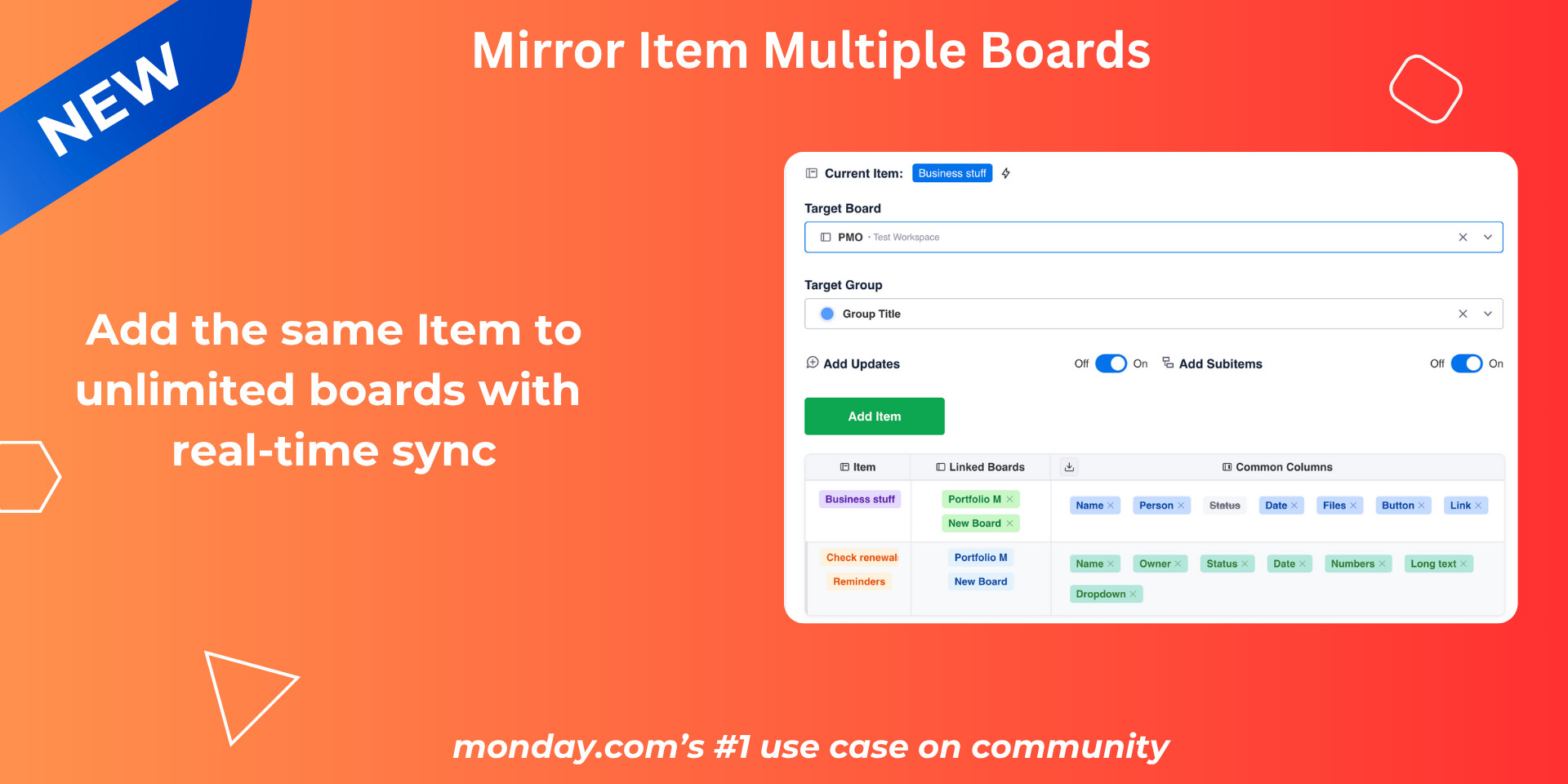
But here’s the smart part - you get to choose which information syncs and which stays separate.
How Common Columns Work
The app looks for columns with identical names across your boards. If you have a “Status” column on your Sales board and a “Status” column on your Project board, those will sync automatically. Same with “Due Date,” “Client Name,” or any other matching column names.
The Control You Need: Not everything should sync everywhere. Maybe you want project status and deadlines visible to all teams, but keep internal sales notes private to the sales team.
Exclude Column Feature: Simply exclude specific columns from syncing. Your “Internal Notes” column stays separate on each board while “Status” and “Budget” sync across all boards.
Real-World Scenarios
• Client Projects Across Teams - Mirror client items from sales to project and finance boards. Sync status and deadlines, exclude private sales notes.
• Master Project Dashboard - Pull items from multiple project boards into one executive overview. Each team keeps their detailed boards.
• Employee Onboarding - Mirror new hires from HR to IT, facilities, and payroll. Share start dates, exclude salary details.
Multiple Items, One Overview Board
Here’s where it gets powerful: you can mirror multiple items from different boards into one central location. Create a master dashboard that pulls key items from sales, marketing, development, and operations boards.
Each team keeps working in their familiar environment while leadership gets a complete picture in one place.
Why This Matters for Your Team
Before: Sarah updates a client’s deadline in sales. She tells James in project management, but forgets to update the finance board. Two weeks later, accounting is confused about payment timing.
After: Sarah updates the deadline once. Project management and finance see it immediately. Her private sales notes about the client’s payment history stay visible only to the sales team.
The Bottom Line
Your teams shouldn’t waste time manually syncing information across boards. Mirror items where you need visibility, exclude columns where you need privacy. Everyone gets the information they need without losing control over sensitive data.
Stop playing telephone with your project updates - let your boards talk to each other properly.
Try the Mirror Item Multiple Boards app today! Early birds get 50% discount.
If you have any questions, schedule a call with us here.