
As you know, a monday board is dynamic and ever-changing — and there’s no simple way to view how it looked at a specific point in the past.
This comes up more often than you’d think, especially in these scenarios:
- 📅 Reporting & audits – Project managers and team leads often need to review the board as it stood at the end of a sprint or month
- 🤝 Client updates – Teams need to clearly show what’s changed since the last report or check-in
- 🧾 Compliance – In regulated industries (like finance, healthcare, or legal), it’s essential to prove what data was recorded at a particular moment
✅ Having the ability to reference or even restore a past board state supports transparency, accountability, and compliance.
🔍 Option 1: Activity Log
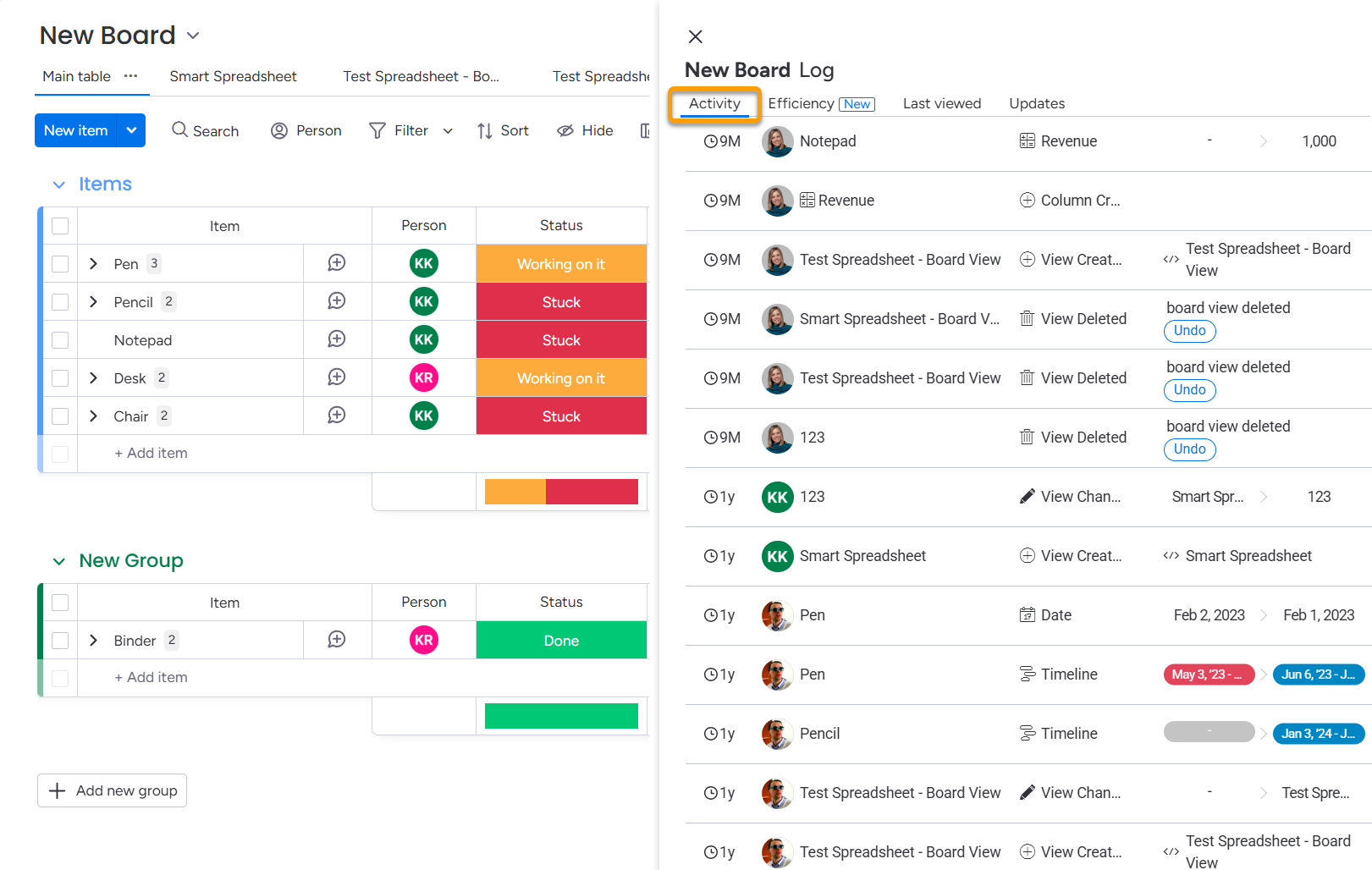
Every board includes an Activity Log (Board Menu → Activity Log), where you can:
- View item creation, updates, status changes, people assignments, etc.
- See who made each change and when
It’s the most accessible way to track board history — great for spot checks or simple audits.

Heads up: The amount of historical data available depends on your monday.com plan.
Limitations:
- It’s read-only — you can’t undo or restore from here
- The log includes every update, so on busy boards it can be hard to trace specific project deliverables or key changes
🗃️ Option 2: Use Board Archives as Manual Snapshots
While monday doesn’t offer automatic versioning, you can create your own snapshot workflow:
- At the end of each sprint/month:
- Duplicate the board
- Rename it (e.g.,
Marketing Sprint - March Snapshot) - Move it to a “Snapshots” workspace or archive it
- That copy preserves the exact board state at that time


🔐 Option 3: Enterprise-Level Backups (via Support)
If you’re on an Enterprise plan, monday.com maintains internal backups.
- These are not self-service
- But monday support may be able to restore board data in certain cases
📩 If critical data was lost (due to error or automation), reach out to support promptly.
📨 Option 4: Automate Backups with Board Email Reports
If you want a consistent, structured way to see how your board changed over time — without manual snapshots or digging through the Activity Log —

…try using our app: 📬 Board Email Reports.
It helps you:
- ⏱️ Track how your project deliverables evolved over any reporting period (weekly, monthly, or custom)
- 📤 Send automated Excel reports straight to your email
- 📊 Summarize changes clearly: what changed, when, and who changed it
Common use cases include tracking:
- ✅ Status updates (e.g., Done → Stuck)
- 💰 Budget, cost, and revenue changes
- ⏳ Time tracking entries
- 📅 Overdue deadlines and timeline shifts
This gives you a real snapshot of project movement — perfect for:
- Monthly reports
- Sprint retrospectives
- Client updates outside your monday.com account or stakeholder not familiar with monday.com
- Internal audits or billing justification
🎯 Example: Tracking Project Costs Over Time
As a PM, you want to see how project costs evolve monthly.
You can schedule a rule like:

✅ The XLS file includes:
- Original and new values
- Timestamps
- Who made the change
- Item names and links


This makes it easy to track progress, report to clients, or catch anomalies.
💬 Need a Custom Setup?
We’re happy to help you tailor automations:
- Send reports only when specific conditions are met
- Combine multiple columns in one report
- Add triggers for sending reports (for example, when a task is Done)
Just reach out to our team.