
Hey there! 👋
Today I want to share the top 3 mistakes I often see teams make when using the Time in Status App for monday.com, and how to avoid them to get the most value from your data.
If you’re already using the app or just getting started, these tips will save you time, confusion, and maybe even a few headaches. 😊
1. Forgetting to set your working hours
One of the most common pitfalls: you install the app, start checking time-in-status data, and suddenly it looks like everything is taking forever. Tasks sit in “Working on it” for 48 hours?! 😱
But wait, are your working hours and non-working days configured?
📌 If not, the app counts weekends, evenings, even holidays, making everything look way slower than it really is.
How to fix it:
Head to Calendar Configuration and:
- Set your working days (e.g., Monday to Friday)
- Define your working hours (e.g., 9am-6pm)
- Select your time zone
- Add any lunch breaks or holidays

Once that’s done, your reports will reflect actual working time, and suddenly those “slow” tasks may not be slow at all.
🤔 2. Looking at numbers, but not asking “why?”
It’s easy to look at the duration a task spent in a status and think that’s all the insight you need. For example, “This task was in ‘In Review’ for 12 hours” okay, but why?
📌 Time in Status tells you where time accumulates, but it’s on you (or your team) to figure out why. Otherwise, you might be tracking the wrong issues.
Maybe the task waited for feedback…
Maybe it wasn’t clear who owned it…
Maybe it just fell through the cracks.
Use the data as a conversation starter, not just a report. Dig into your process and look for bottlenecks or blockers behind the numbers.
📉 3. Using only one type of chart
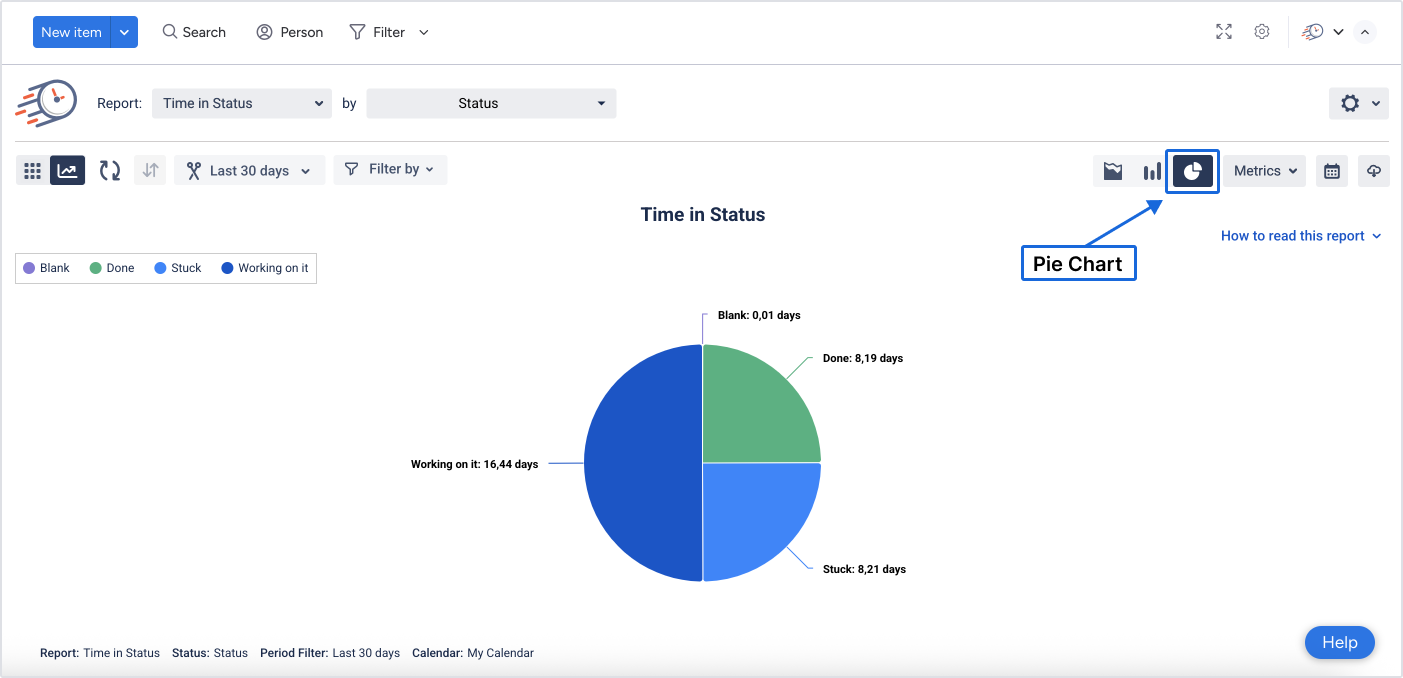
Let’s be honest, most of us love a good pie chart. It’s colorful, simple, and gets the point across quickly. But relying only on that one view can hide important patterns.
Here’s the thing:
Each chart in the Time in Status App offers a different kind of insight:
-
🟢 Pie Chart - Great for quick summaries
-
📊 Stacked Column - Shows where time is really spent across tasks
-
📈 Stacked Area - Helps you spot trends and track how things change over time


Using just one is like only checking the weather by looking out your window. 🌦️
Use them together to really understand what’s happening in your workflows.
📬 Need help or want to chat about setup?
I’m here to help! Just drop your question in the comments 🙌
👉 Try Time in Status for monday.com and make tracking time in workflows smarter, not harder.