Wow… I got there but it was more complicated than I expected. For the record, I really think formulae should be able to read from mirrored Timeline summary column. The functionality is so basic and should be so simple to implement that it’s surprising it doesn’t exist. There’s really no reason for it not to be functional. Nevertheless, I have found a way to do it.
Here’s the workaround:
- Create technical formula columns for the start and end date of the timelines on your main board in order to put those dates into YYYYMMDD ISO format:

FORMAT_DATE({Timeline#Start},"YYYYMMDD")
- On the summary item, create the following columns (you can hide them all later… it’s also possible to combine them, but let’s keep them separate for this explanation, as it will simplify the logic)

So what’s happening here?
3. Configure the two mirror columns. One each to summarise the ISO formatted start and dates. This will work because the YYYYMMDD format increases with the date. We can then use the summary types of “Min” for start and “Max” for end to get the “Earliest Start” and “Latest End”
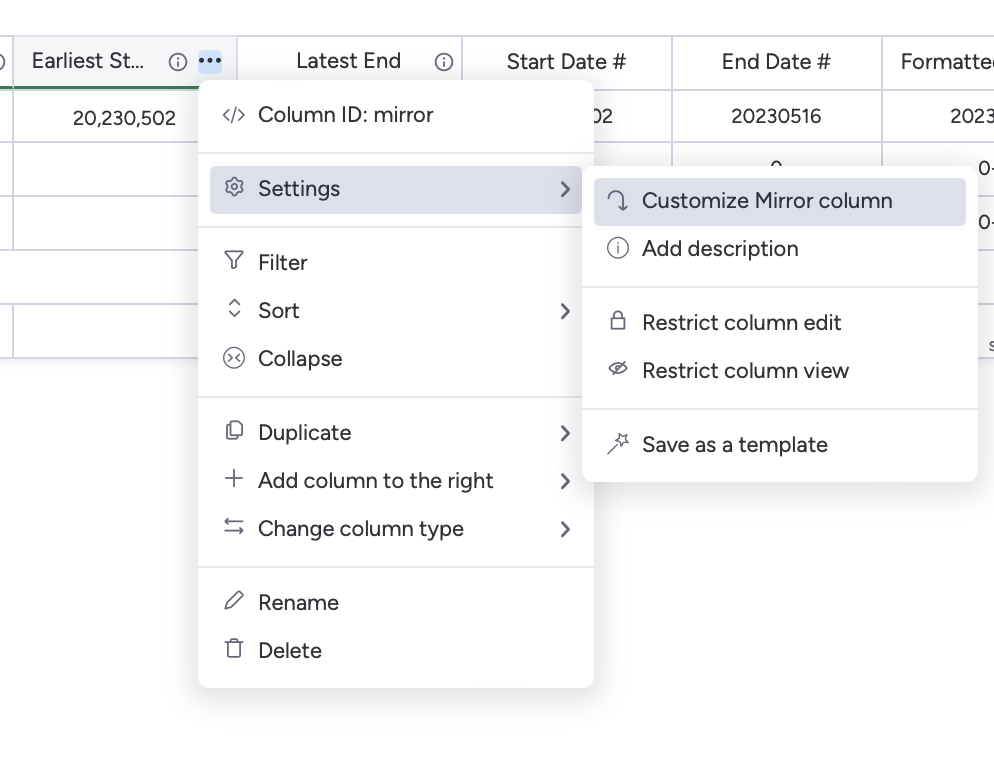

- We need to remove the commas from the summary to get our “Start Date #” and “End Date #” columns, using this formula:
SUBSTITUTE({Earliest Start},",","")
- We can actually use these dates to calculate the workdays (it seems) using the formula
WORKDAYS({End Date #}, {Start Date #}), although I’m a little suspicious there could be unexpected behavior. For good measure, it’s best to format them into a more universally accepted style, using the following formula (for the “Formatted” date columns:
CONCATENATE(
    LEFT(
        {Start Date #},
        4
    ),
    "-",
    RIGHT(
        LEFT(
            {Start Date #},
            6
        ),
        2
    ),
    "-",
    RIGHT(
        {Start Date #},
        2
    )
)
- You can use and/or reformat these dates in any way you like. They should be correctly parsed by any of the monday.com formula functions, including WORKDAYS.
Hopefully that’s all clear! As with many things in monday.com, getting to the end can be a process, but this is a functional solution. You can hide all the columns you don’t need to see once you’ve implemented this fully and all should work as expected.