
Hi everyone,
I'm Amichay Even Chen, the Group Product Manager of monday vibe 👋🏻
A lot has shipped since my last update. Here's everything that's new:
Connect 20 Boards to a single app

r/mondaydotcom - Everything new in monday vibe - June 2026 addition
Vibe apps can now connect to up to 20 boards, opening the door to enterprise-scale applications. Build resource management apps spanning 20 project boards, portfolio dashboards that surface risks across every team, or OKR trackers that consolidate data from every department.
Limited to accounts on Vibe Growth plan (25 apps)
Multi-board for All Vibe Types
Multi-board support is now available across all view types—not just left pane apps.
Build cross-board trackers and reports directly in board views, surface data from multiple boards per item in item views, and mix data from multiple sources in a single dashboard widget.
AI Model Picker
You can now choose which AI model powers your Vibe app. Switch between models optimized for speed, cost-efficiency, or maximum reasoning depth—matching the right tool to the complexity of each build.

r/mondaydotcom - Everything new in monday vibe - June 2026 addition
Dashboard Widgets
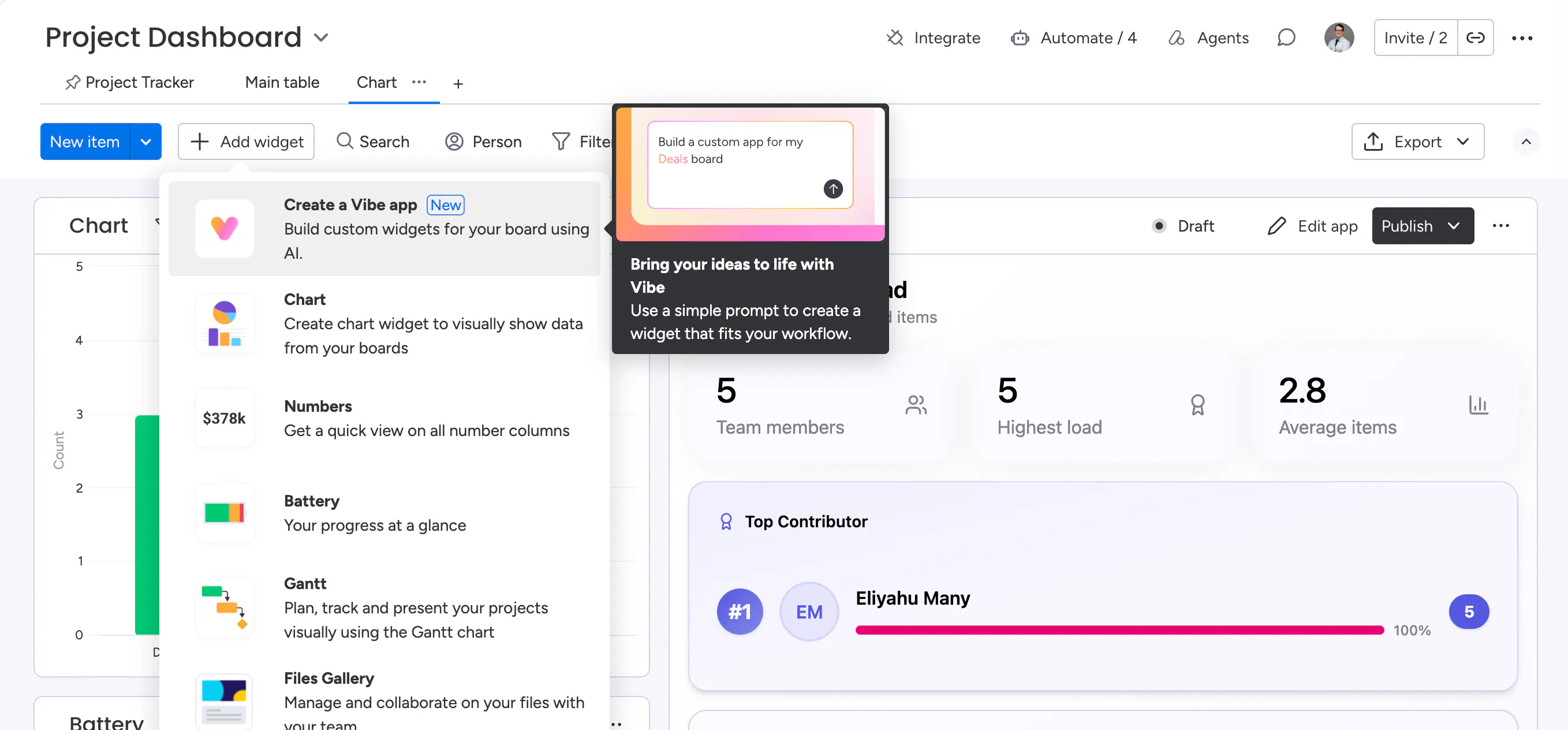
You can now build custom widgets with Vibe and place them directly on monday board dashboard view.
Create chart types monday doesn't support natively—Sankey diagrams, hierarchy charts, pivot tables—and display them alongside built-in widgets in the same dashboard.
Duplicate Any App
You can now duplicate any Vibe app in one click—full-page apps, board views, item views, and widget views alike. Save a copy before making big changes, create a project template combo and duplicate it for every new project, or share a working app with a teammate so they have their own editable version.

r/mondaydotcom - Everything new in monday vibe - June 2026 addition

r/mondaydotcom - Everything new in monday vibe - June 2026 addition
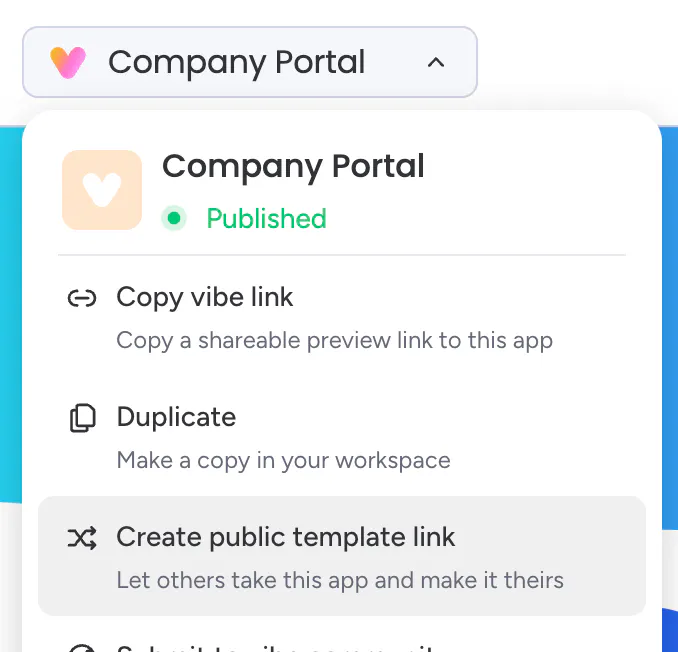
Duplicate Apps Cross Accounts with Public Template Link
Anyone can now save a Vibe app as a reusable template and share it across monday accounts. Start from a working app instead of building from scratch, create department-specific portals from a single master template, or keep a sandbox copy for safe experimentation.
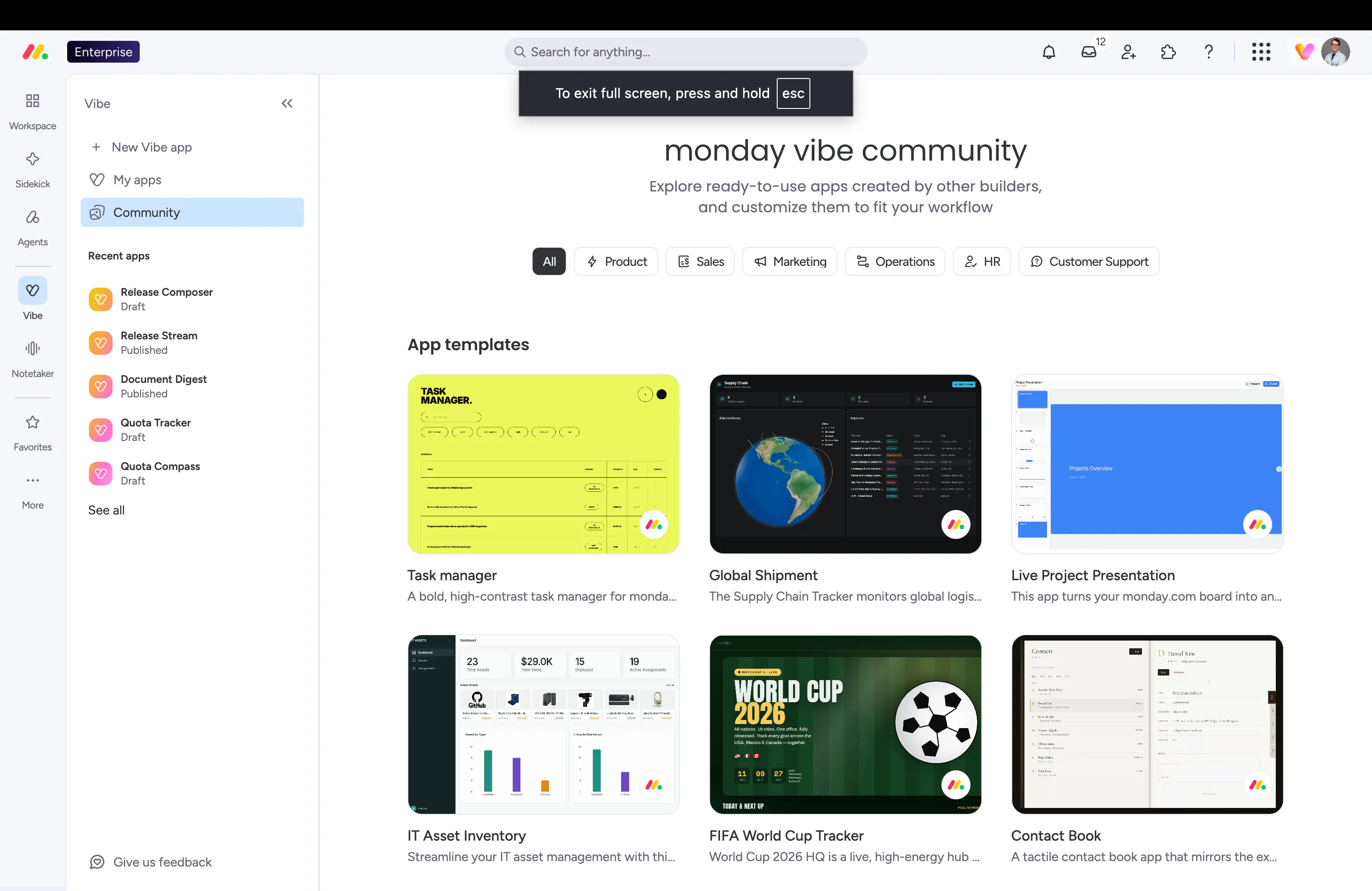
Vibe community
🚀 In Gradual Release
Browse ready-to-use apps built by other makers, filter by category, and grab + customize whatever fits. No blank canvas.
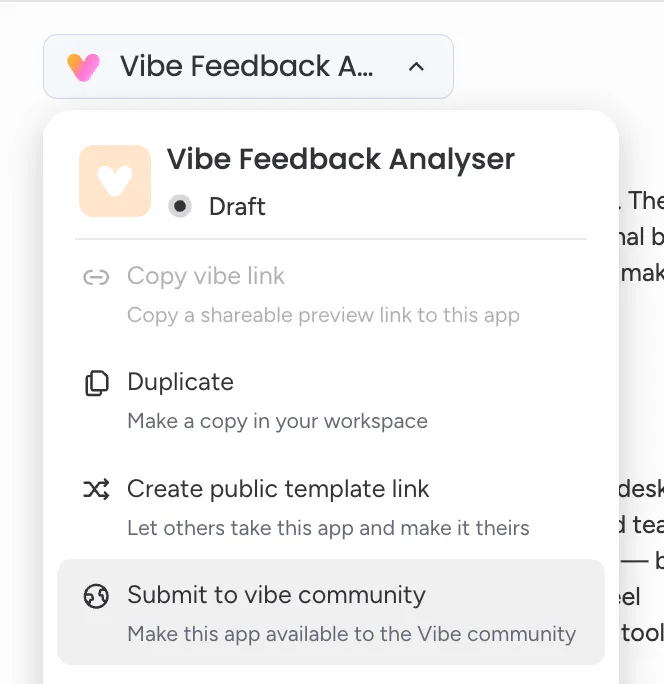
You can also submit your apps to the community if you feel like sharing.
Vibe Design Gallery
Select a design from our gallery and the app will be built with the design you selected

r/mondaydotcom - Everything new in monday vibe - June 2026 addition
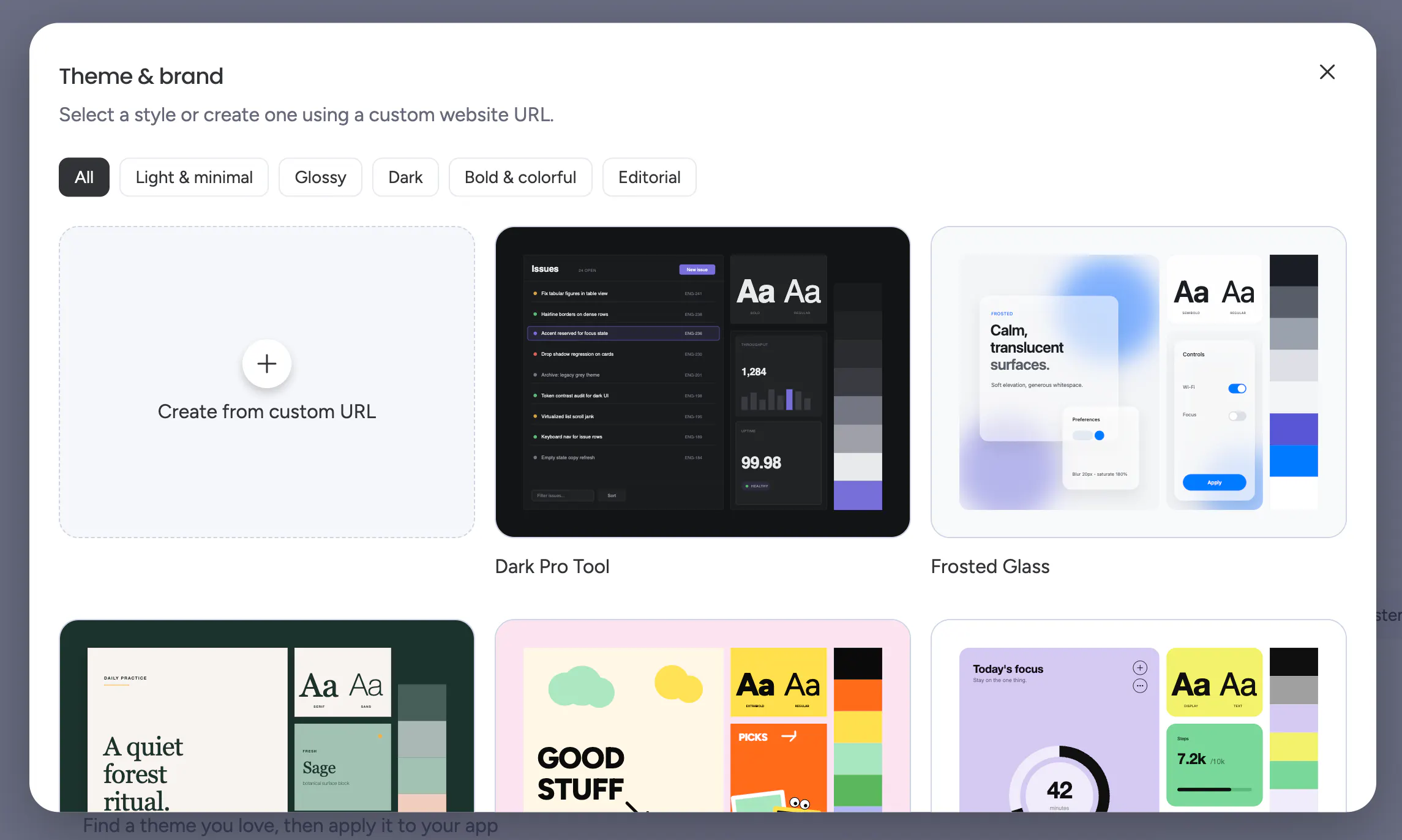
Extract your website theme
You can select any website before building an app and copy it's look and feel.
Select which parts of the app you want to edit
🚀 Gradual Release
Click the select tool in the prompt bar, pick any element in your app and it gets added to your prompt as a direct reference. Vibe edits exactly what you selected, no hunting through code required.
Draft Mode
You can now edit your app in draft mode without affecting the live version your users see. Turn off Auto-update, make changes safely, test thoroughly, and only publish when you're ready—or undo everything to discard.

r/mondaydotcom - Everything new in monday vibe - June 2026 addition
Rename app
🚀 Gradual Release
Because sometimes the AI needs some help with copywriting

r/mondaydotcom - Everything new in monday vibe - June 2026 addition
Export to PDF, Word, PowerPoint & Excel
Vibe apps can now export data directly to fully editable Word, PowerPoint, and Excel files. Generate branded presentation decks, structured reports, or financial models without any copy-pasting—just ask Vibe to export and it handles the formatting.
AI image/pdf Analysis
Vibe apps can now read and analyze PDF and image files from your board using AI. Build an invoice analyzer that extracts amounts and vendors, a contract reviewer that flags key clauses, or a document summarizer that condenses long reports into highlights—all by connecting to a file column.
Any file saved in a file column—PDF, TXT, PNG, JPG, or GIF—is now data Vibe can reason about. Structured insights from unstructured documents, automatically.
AI Notetaker Integration
Vibe apps can now read and act on monday AI Notetaker meeting transcripts. Build apps that surface action items from your last meeting, update CRM records based on call notes, or trigger board workflows from what was discussed—all automatically.
CRM Emails & Activities
Vibe can now read, create, and update CRM emails and activities directly from your boards. Analyze contact sentiment over time, log new meetings and calls with a simple prompt, or surface all activities from a contact in the last 24 hours—all without leaving monday.
Vibe App Permissions
Admins can now control who is allowed to create and edit Vibe apps in the account. Restrict builder access by role, limit who can build versus who can only use, and maintain governance over your app ecosystem without turning off AI entirely.

r/mondaydotcom - Everything new in monday vibe - June 2026 addition
Credit Usage Breakdown for Admins
Admins can now see exactly how Vibe AI credits are being used across the account. The Vibe Apps tab in the Admin page now shows credit consumption for the current billing cycle—broken down into build credits and app runtime credits—alongside per-app prompt activity and view counts for the last 30 days.

r/mondaydotcom - Everything new in monday vibe - June 2026 addition
Don't miss our last release recap form April here:
Happy to answer any questions! 🚀