For teams that want fewer surprises, calmer boards, and more predictable delivery.
The Problem Agile Teams Ignore
In fast-paced environments, work moves fast but risks move even faster.
Too often, risk tracking lives outside Monday.com — in spreadsheets, disconnected docs, or Slack threads.
By the time a risk becomes visible, it’s already a blocker, a bug, or an urgent message from leadership.
When risks aren’t tracked inside your boards:
-
Dependencies surface late
-
Priorities get reshuffled mid week
-
Teams feel blindsided — “We didn’t see this coming.”
-
Trust erodes as deadlines slip
You don’t need another heavy framework just one small habit inside the place where your team already collaborates: Monday.com boards.
What Risk Management Actually Looks Like in Monday.com
It’s about building quick awareness into the items your team already plans.
Before starting any meaningful task, ask three questions:
-
Likelihood: How likely is this task to go off track?
-
Impact: If it does, how wide is the blast radius (users, revenue, compliance)?
-
Difficulty to fix: How hard would it be to fix or roll back?
A quick 10-second reflection during backlog grooming, planning, or daily sync can prevent major surprises later.

Two Teams, Same Project, Different Outcomes
OAuth Migration Example
-
Team A jumps straight into development mid-week. Missing permission scopes cause failures in staging. The sprint derails.
-
Team B tags the item with Likelihood: Medium, Impact: High, Difficulty: High. They split the work into smaller subitems, add a feature flag, and align with QA early. The rollout is smooth.
The difference? Just a few seconds of risk awareness.
How to Add Risk Awareness Without Bureaucracy
During Planning:
-
Add a Risk Level column (Low / Medium / High) or use numeric scoring (1–10).
-
Split or spike risky items.
-
Assign clear owners.
During Execution:
-
Use Board Filters to surface high-risk tasks first (Risk ≥ 7 & Status != Done).
-
Create Automations to alert owners when a high-risk item stalls.
During Review:
-
Discuss which risks materialized.
-
Adjust your scoring or workflows to catch them earlier next time.
DIY vs. Using a Lightweight App
You can manage risks with custom columns and automations.
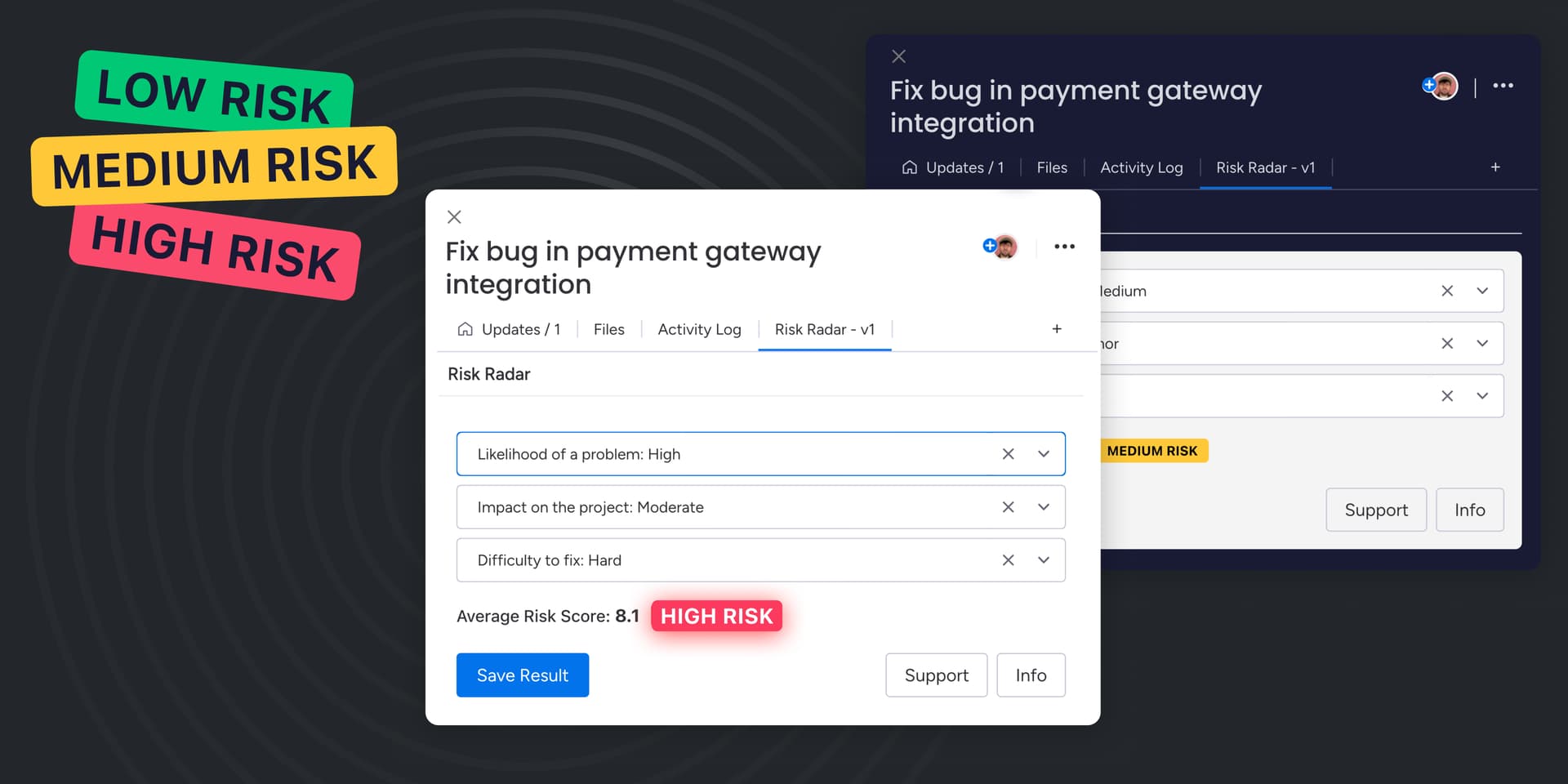
But if you want something consistent, visual, and built for team awareness, use a dedicated app like Risk Radar for Monday.com.

What Risk Radar Adds
-
 Compact risk panel inside each item view
 -
 Quick selection of Likelihood, Impact, and Difficulty
 -
 Auto-calculated Risk Score (1–10) with visual badges
 -
 Board & Dashboard integration for filtering and tracking
 -
 Built natively for Monday.com
Quick Playbooks to Get Started
Playbook 1: High-Risk Triage
Trigger: Item with Risk ≥ 7
Action: Notify the owner and run a quick mitigation check
Playbook 2: Dashboard Insights
Filter: “Current Week Items with Risk ≥ 7”
View: Breakdown by Owner and Status
Playbook 3: Hidden Tech Debt
Filter old tasks tagged “refactor later”
If Risk ≥ 7 → turn into a new group or subproject
Playbook 4: Platform Updates
Tag SDK-related work with High Impact & Recovery
Plan spikes ahead of major iOS / Android / API releases
Final Thought
Risk management doesn’t have to be heavy.
It starts with one simple question:
“What’s the one thing that could go wrong here and how would we handle it?”
That tiny moment of foresight can help your team ship more confidently, collaborate better, and stay calm under pressure.
If you want to make this process fast and visual, check out Risk Radar for Monday.com on the Marketplace.

 Try it now on the monday marketplace
 Watch Demo
 Read Documentation