Hi @streety 
Thanks for reaching out!
I would recommend slightly changing your board set-up in order to achieve this.
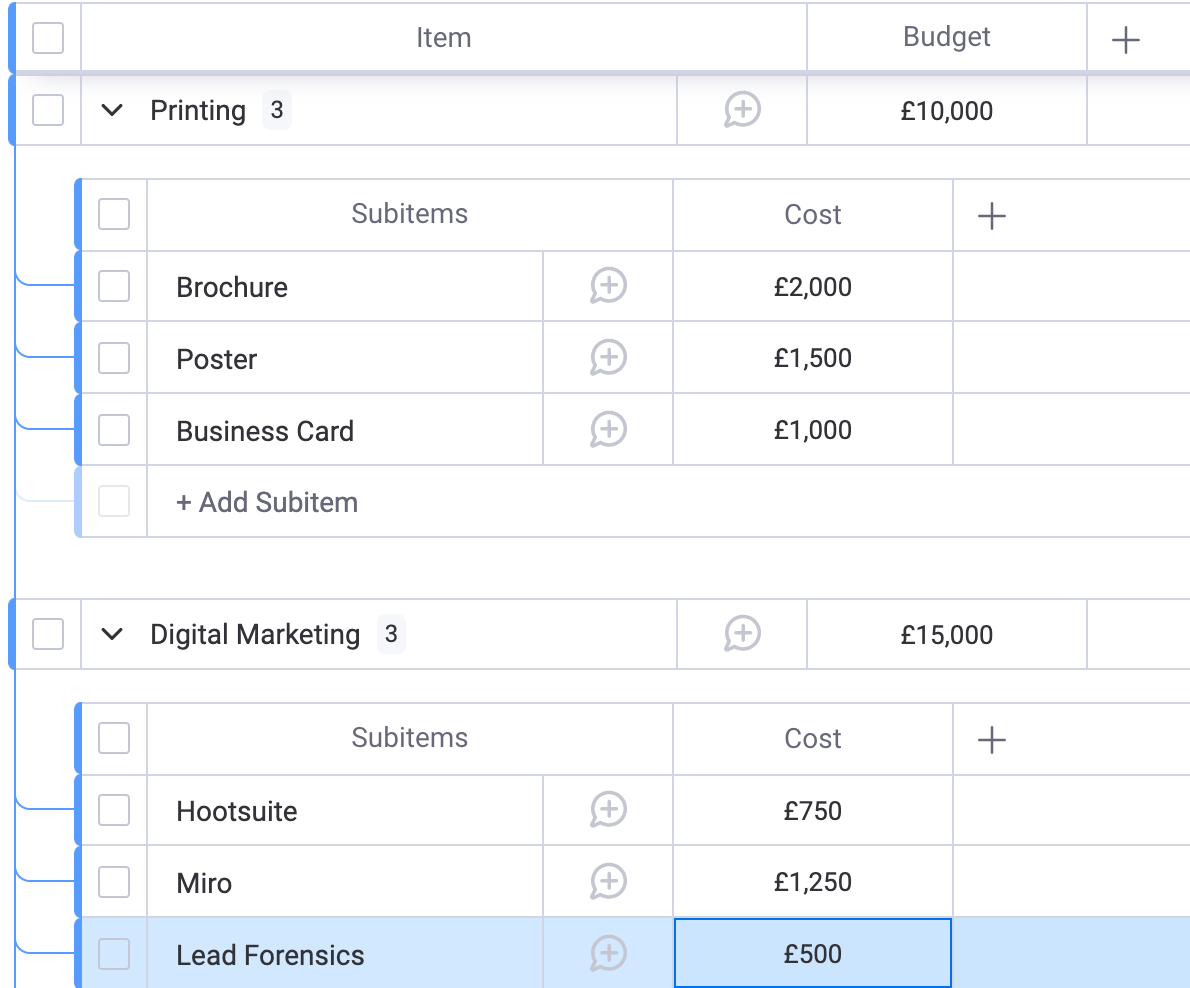
I would list each of your items as the budget items, and then utilise the subitems for each item that counts towards that budget.
This would look something like the example below:
You can then ‘roll up’ the subitems to have them show as a summary on your main level item:
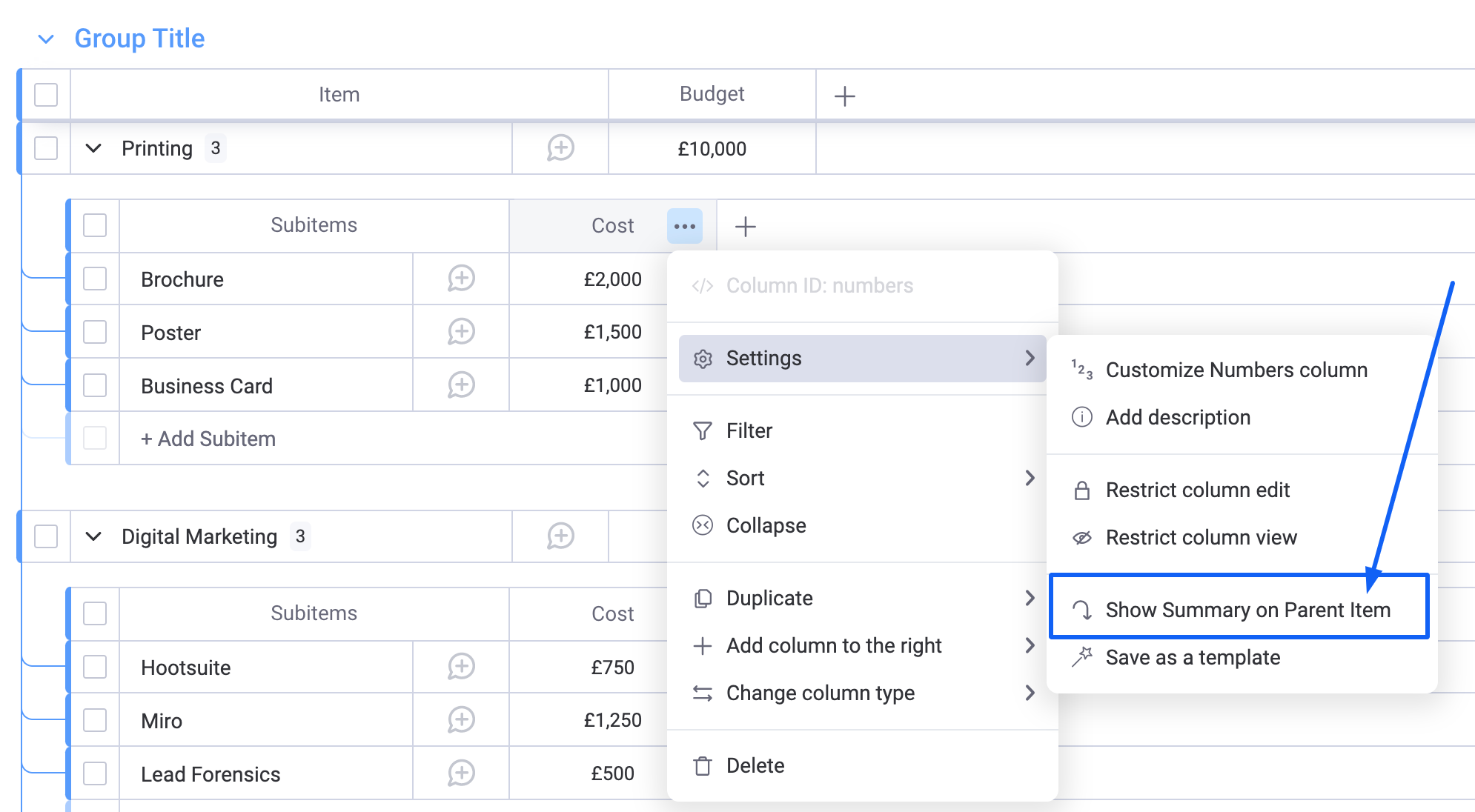
This will then create a new column on your main level item that shows the summary of the subitems:

As the formula column only allows you to calculate horizontally, you can then add a formula column to subtract the amount spent from the budget.
As you add new subitems, this will automatically be added to the summary.
You can use the following formula to calculate the difference. Just be sure to swap out the column names so that they match your own!
CONCATENATE(“£”,({Budget}-{Subitems Cost}))
This will leave you with the following:

I hope this helps! Remember to mark as solved if this answers your question 
Best,
Dani