We’d like to allow people to create subitems for an existing item via form. This would allow us to avoid having to share a board with outside parties (and therefore invite potential errors or permission issues).
What are you trying to achieve
We’d like to allow people to create subitems for an existing item via form.
Hey @alexar if you are open for Monday marketplace apps, you can easily do that with SuperForm. It’s a native monday advanced form that supports update existing items and subitems.
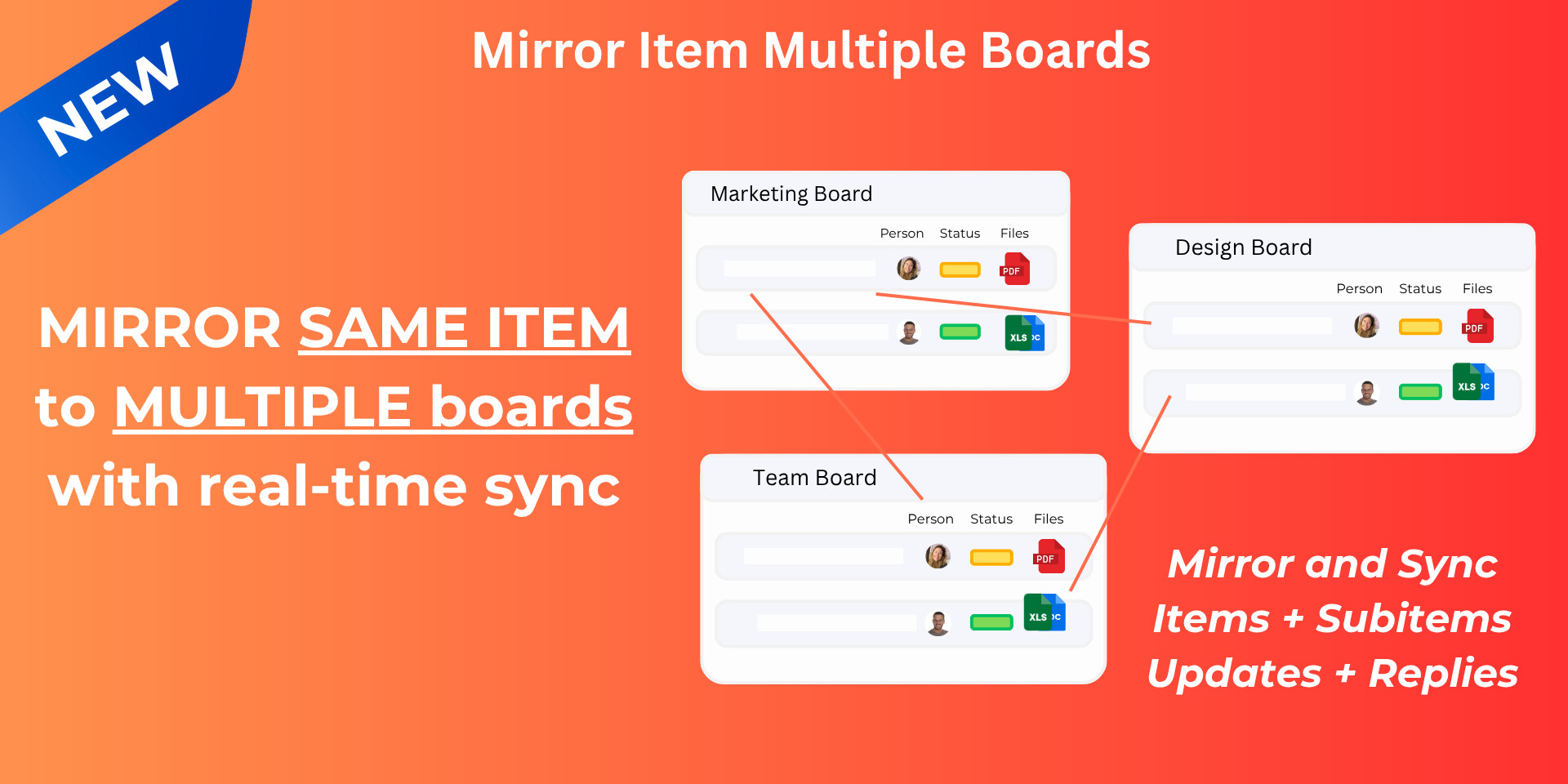
It allows you to mirror items/subitems to multiple boards with full sync functionality (updates+replies).
While presently - we do support adding a subitem as an item, we’d love to know more about your use-case and see if we can support adding a item as a subitem(the reverse) and how it would help.
For FUTURE items, create all items using the form with the “Response editing” setting on. Then you can use the Submission link column to make all future edits, including editing subitems AND adding subitems. I would then delete the steps below since they won’t be needed anymore.
Any of those apps can help you do this quite easily without doing anything else. However, depending on your use case, you can also do this natively with monday’s workflows. It’ll be a little awkward, but it’s definitely doable if you don’t want to pay for an app. You will need to have access to workflows, so make sure you have Pro or Enterprise plan and have access to this feature.
Preparation:
Ensure that there’s another text column in both your item and your subitem labeled Item ID. This will correspond with the actual Item ID of the proper item. I recommend making this a hidden or locked column.
Create another hidden/locked text column labeled ID. Yes, you’ll need both as you’ll soon see below.
I do recommend creating a separate workflows that will add the item’s Item ID into the ID text column with trigger: when item is created.
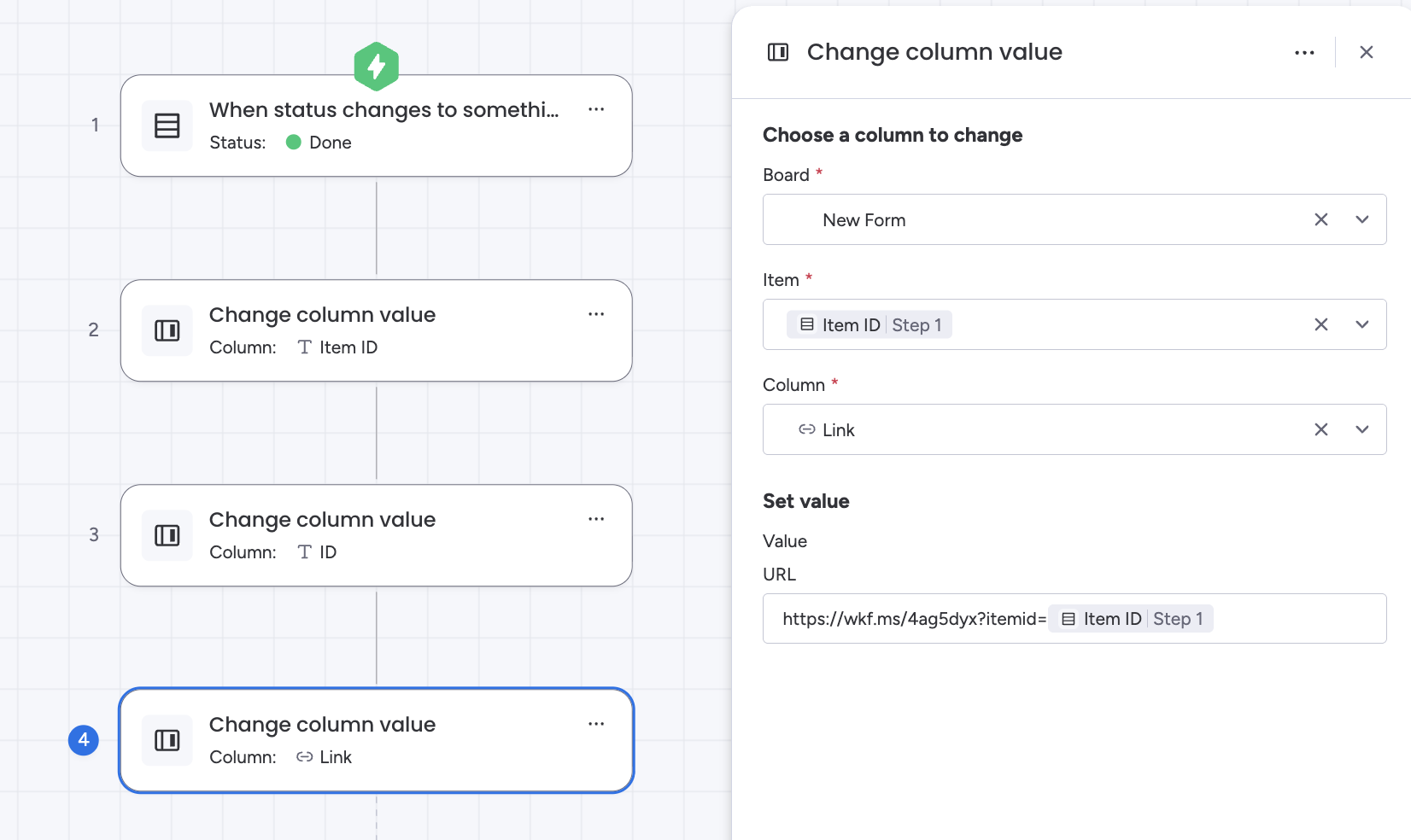
Add a link column that’ll be used as each item’s specific link.
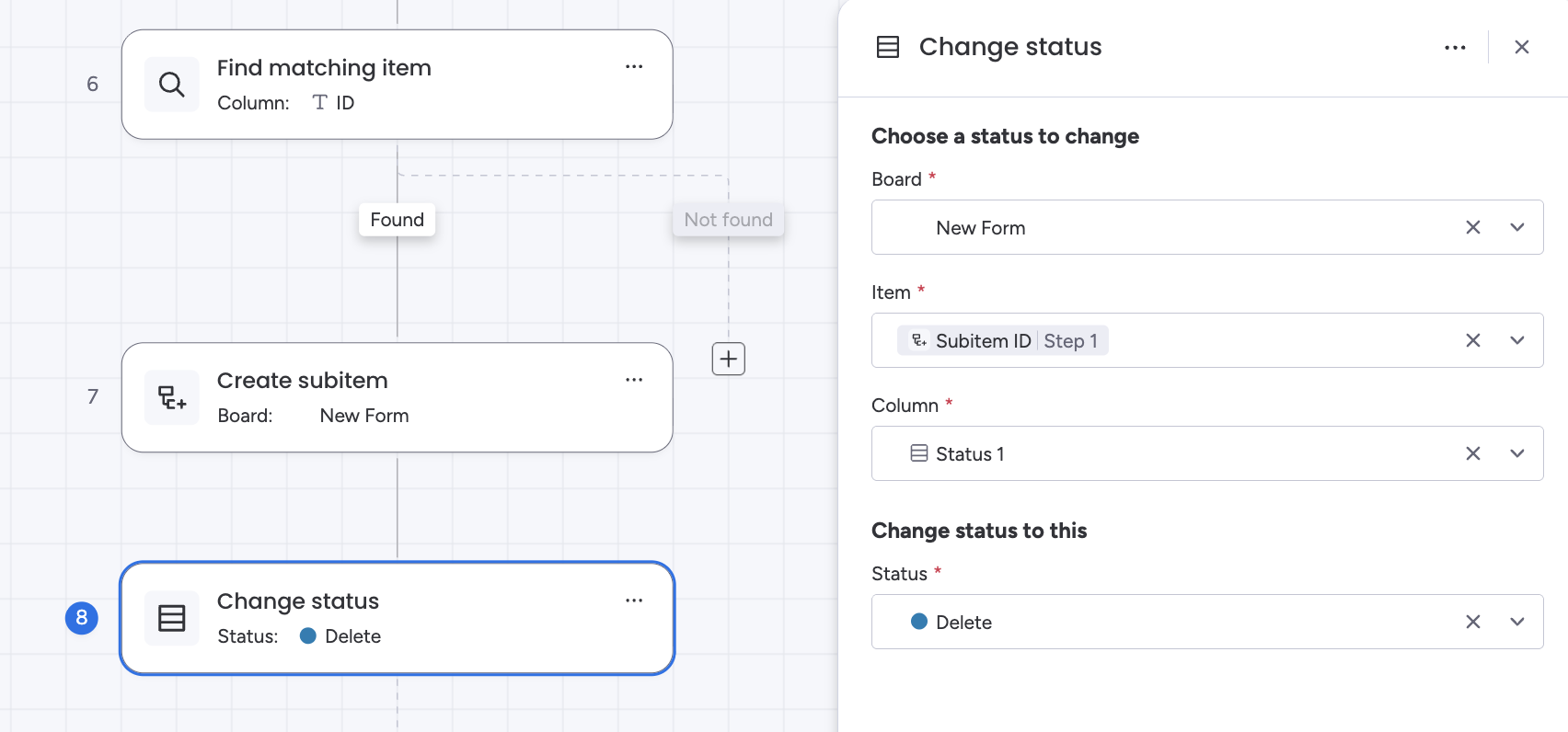
Add a hidden or locked status column in your subitem with label option “Delete” (this is important for the last step).
Add another hidden or locked status column in your item with label option “Delete” (this is important for the last step).
Go to your form, and in your settings, set the item’sItem ID question to a pre-fill value. I changed the parameter to what I wanted to make it easier on me.
In this workflows, you’ll be creating a link specific to the item via pressing a button or changing a status column to something. You can also have the link auto-created upon item creation, but I don’t recommend it since you don’t want this running when you the new items are created with the form.
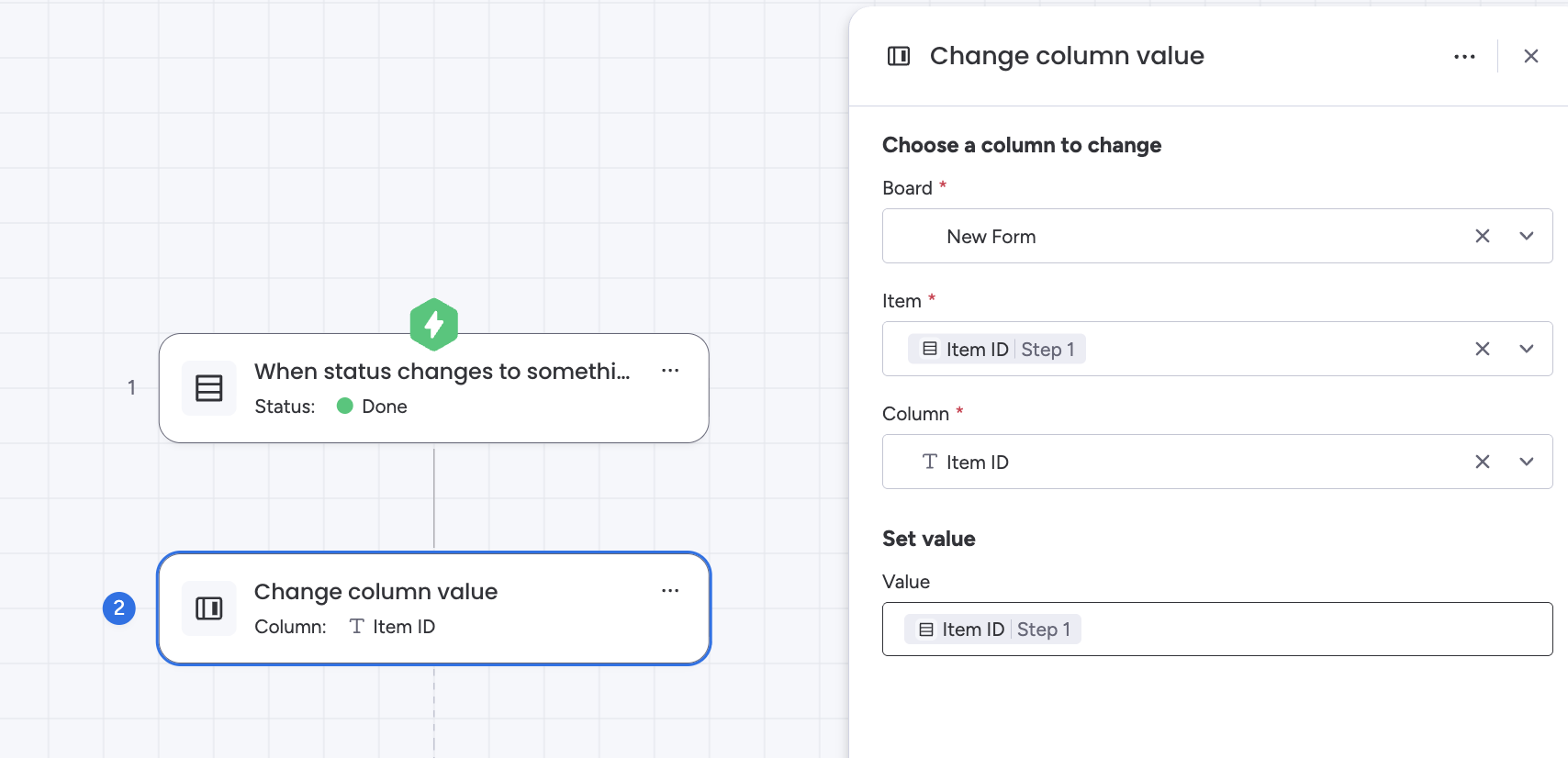
Trigger: When status changes to X (or when button is clicked)
Change column value of text column Item ID to the actual Item ID’s value
You’ll use that newly created link to “update” the item with subitems as well.
Second Workflow: Subitem “Movement”
In this workflows, you’ll be “moving” subitems to the correct item by creating the subitems in the correct item with the correct data, and then deleting the “placeholder” item and subitems.
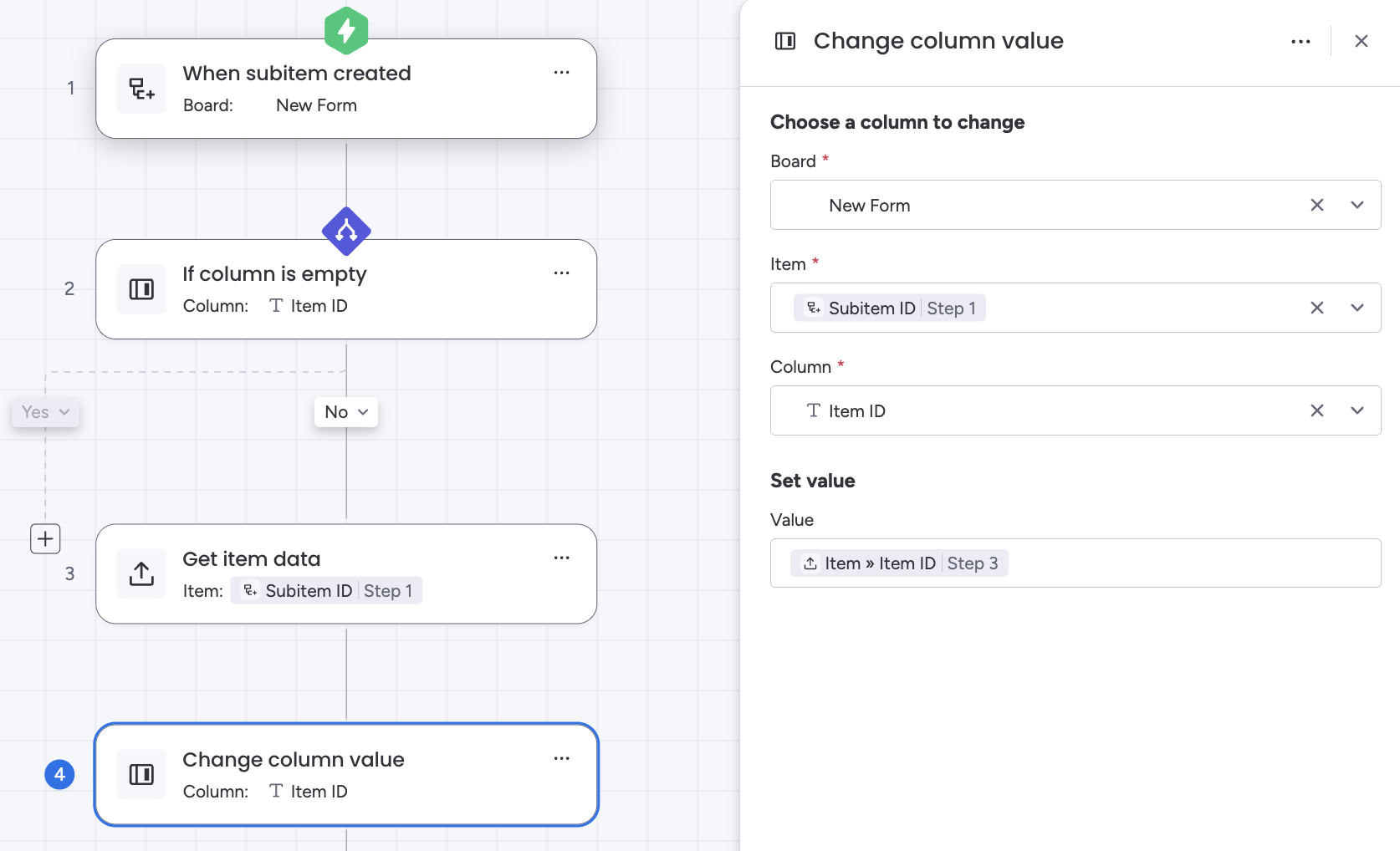
Trigger: When subitem is created
If subitem’s text column Item ID is empty
This is EXTREMELY important as this will affect subitem “movement” to the correct item.
For the steps below, you will be using the NO path, leaving the YES path blank.
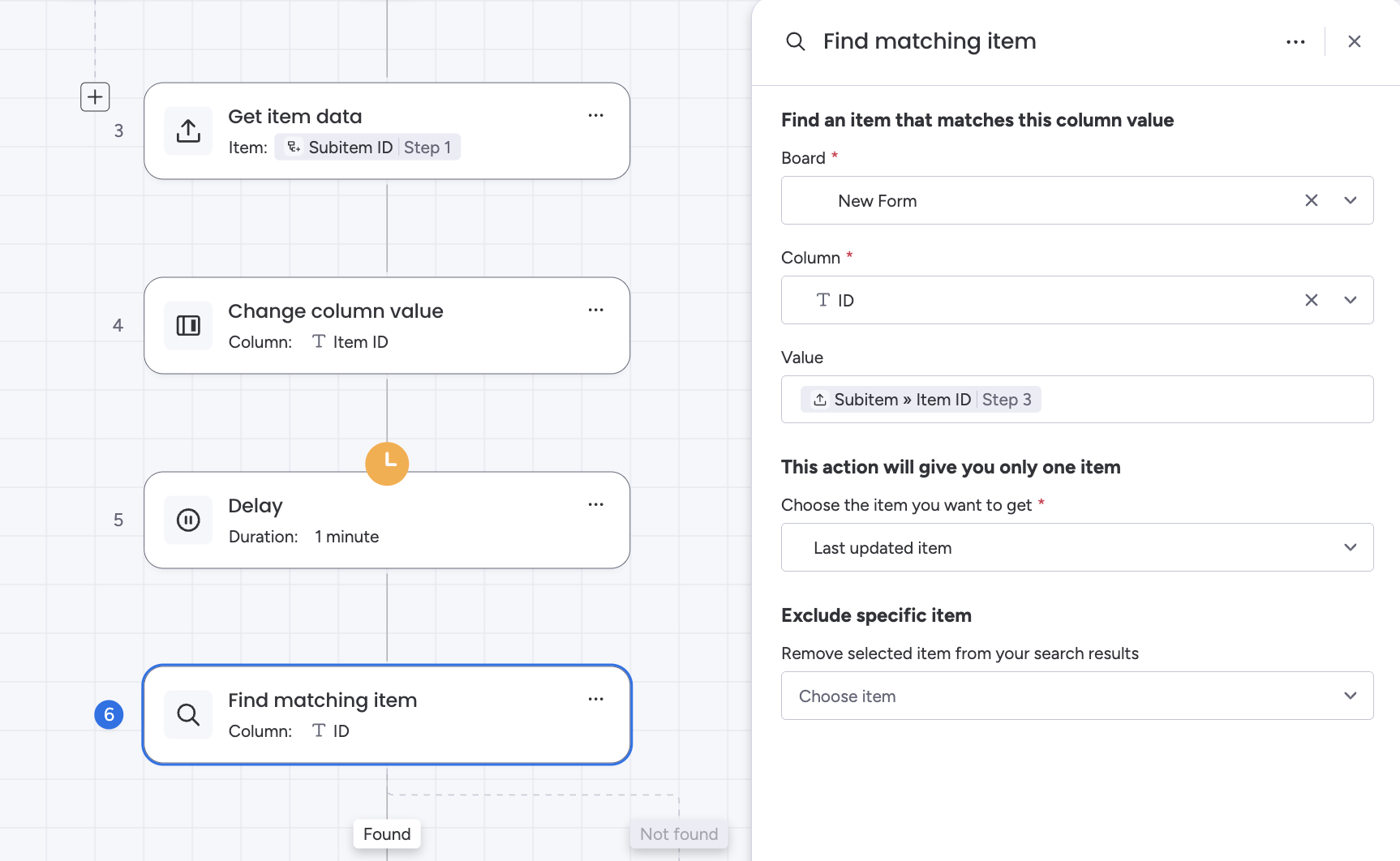
Get item data
Change subitem’s text column Item ID to item’sItem ID.
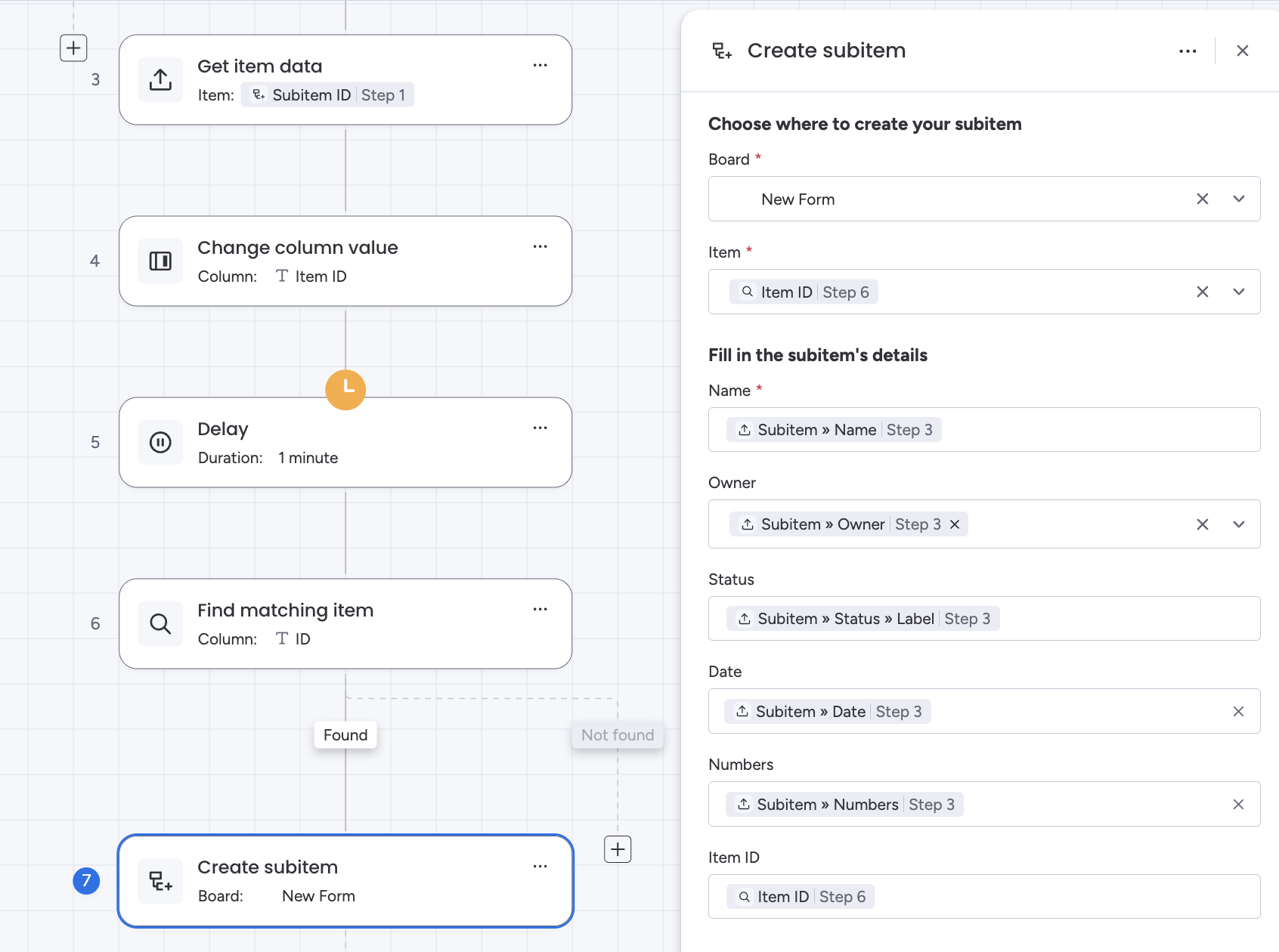
Create subitem in the item that was found, using Step 3’s data. Make sure that the new subitem’s Item ID is filled by the actualItem ID of the found item (Step 6 in the workflow).
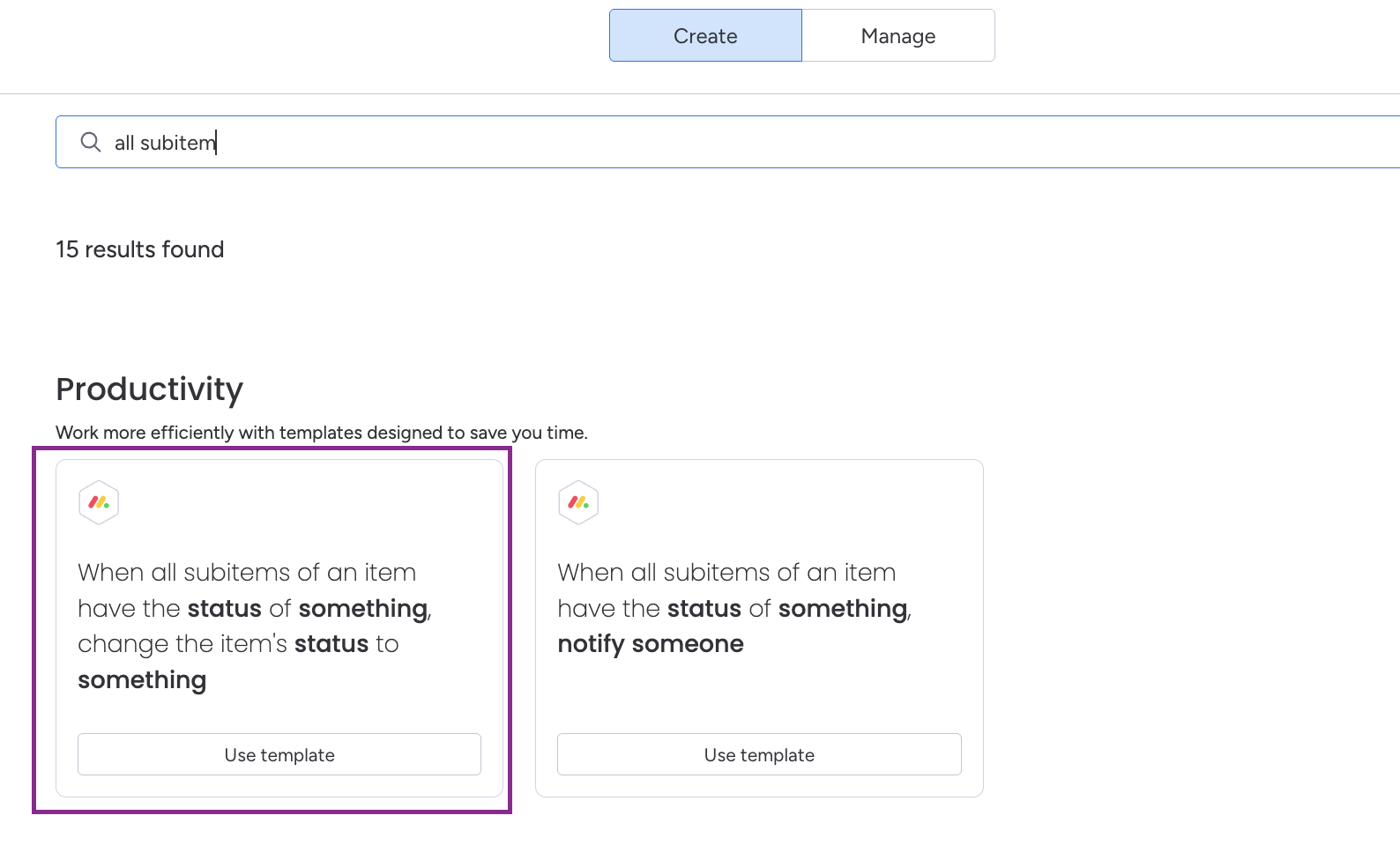
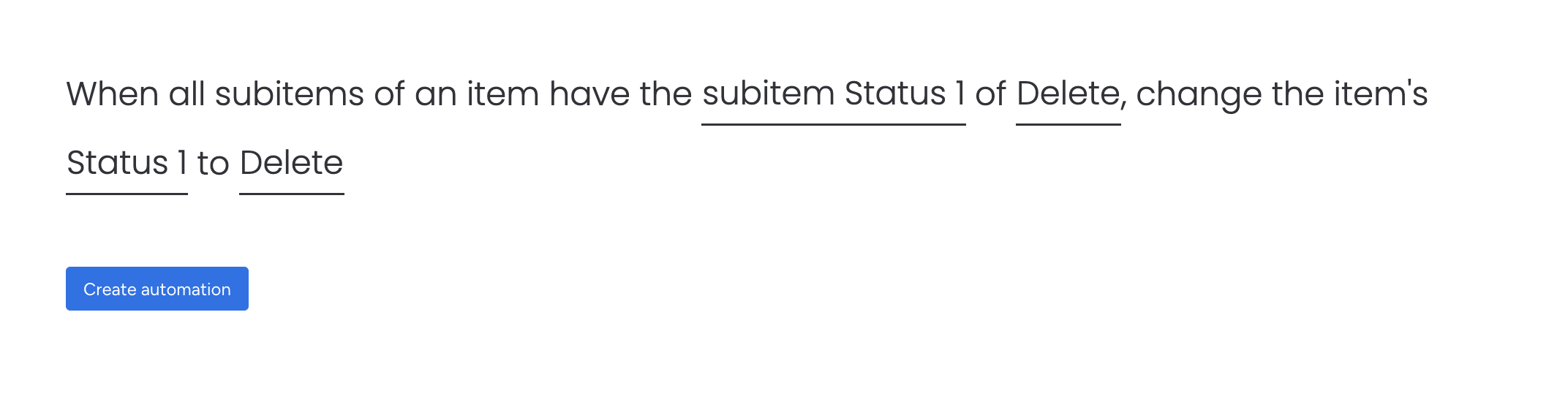
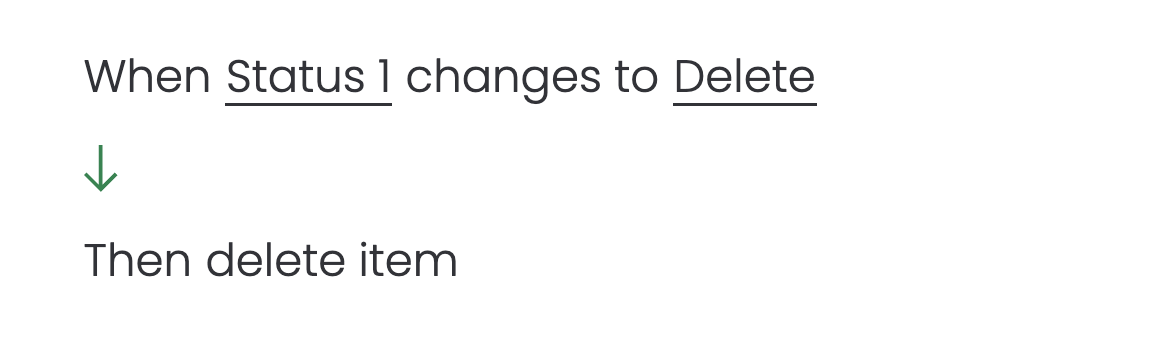
You’ll need to create 2 automations, one that’s a pre-built template and one that is a regular automation.
In automation center, go to the create tab and search for “all subitems.” You’ll want the one “when all subitem statuses are X, change item status to x.”
Set it so that when all subitem statuses are delete, set item status to delete.
With this setup, you should experience zero issues. There will be about a 2-minute lag between form submission and proper subitem creation in the right place, but at least you won’t need to purchase another app.
Let me know if this works for you. My testing showed it worked great.