Syncing status updates to connected items in another board

Hello! I have the Monday pro subscription and am trying to achieve this goal:

  1. I have two different boards that due to privacy reasons, board 1 has all the data and board 2 has all data minus a few items.

How would I integrate a sync between these two boards such that if a status was updated on either board, it would sync to the other board?

Hi Andrea! :waving_hand:

Thanks for contributing and welcome to the community! :tada: This is a great question!

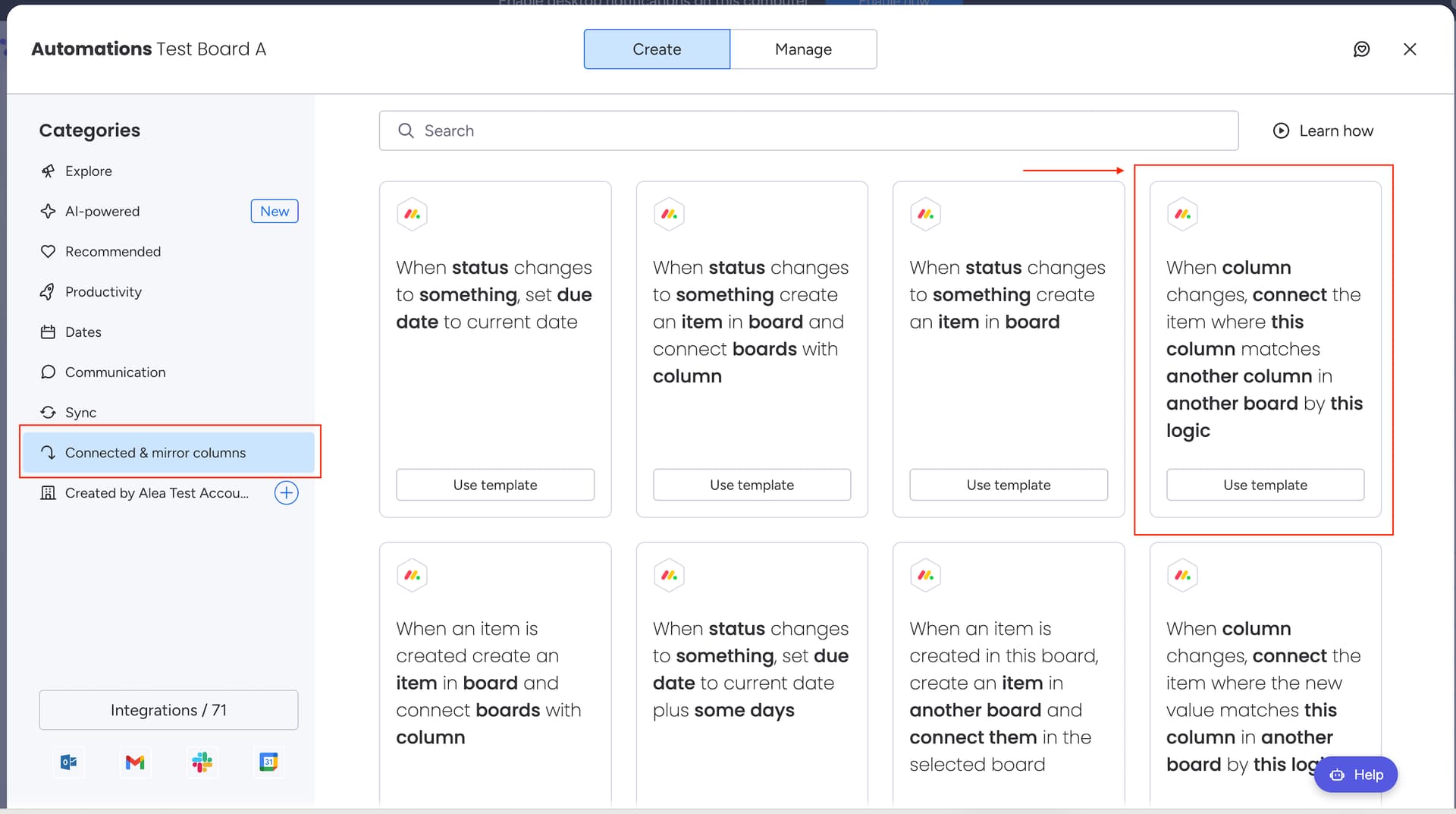
To achieve your goal, you can add one of our “Connected & mirror columns“ automation templates to your board that has all of the data. Specifically, you can use the following recipe:

“When column changes, connect the item where this column matches another column in another board by this logic

Next, you will want to update the recipe’s settings to:

”when Status changes, connect the item where Name matches Name in Board 2 by adding new matched item

I’m also adding a visual of how you can set this up on your end:

andrea gif

This automation will search for matching item names on both boards whenever the Status of a specific item is updated. If a match is found, it will create a connection between the two items.:raising_hands:

I hope this is helpful, but please feel free to let us know if you have any additional questions. We are more than happy to help! :slightly_smiling_face:

Cheers!

Use a connected column and then on the Board 2, only mirror in the columns you want to show on that board. Then any changes on either side show on both.

Desiree - www.thecleverclovers.com

Hey @acstachow ,

The easier method would be to try the Mirror Item Multiple Boards app.

Mirror Item allows you to add the same item with subitems to multiple boards with full sync functionality.

Once you add your item from Board 1 to Board 2, any changes happening to the status column on either board will be lived synced to the other.

It’s easier instead of cluttering your board with connect boards and mirror columns.

Feel free to reach out to us at support@fortimus.co for a demo or book a meeting with us directly here.

Hey @acstachow , welcome to the Monday community! What you’re trying to achieve is actually super easy to set up. You can finish it in literally a few minutes! I prepared a 5-minute video here to show you how it’s done (video has no audio):
How to do a 2-way sync

Using Connected Boards Automations, you only need these two automations:

  1. An automation for automatically connecting items with the same name. You can choose any trigger you like.
  2. Another automation for syncing changes. This will trigger automatically as soon as you make a change on the column you selected.

Hope this helps! If you have any questions, feel free to email me at hello@fantasymedia.io