Hi,
Irina here from the Smart Spreadsheet for monday.com team —we’re excited to let you know about a brand-new feature: Scheduled Reports  !
!
You can now schedule and automatically send selected Smart Spreadsheet views as XLS files, delivered straight to your inbox.
This is perfect for:
- Sending regular spreadsheet reports to clients or teammates outside monday.com
- Keeping a snapshot of your board on specific dates
How to get started:
Go to the Automation Center → type Smart Spreadsheet → choose the new automation recipe and customize it.

As always, we’d love to hear your feedback  — it helps us make Smart Spreadsheet even better for you!
With the release of a powerful new automation, we’ve also discovered how much time Smart Spreadsheet really saves!
Check out the full study on our blog .
.
Throw in a quick case here showing the practical side of the new feature.
 Recently, one of our clients contacted us with a practical need: they needed to share the project state with external clients but hide certain columns on a board.
Here’s how they solved it:
-
Import the board into Smart Spreadsheet.
-
Hide the columns that shouldn’t appear in the report.

image1498×617 79.2 KB
-
Go to the Automation Center, set up a rule, and select that view.
The rule looks like this:
“(Every time period), create an XLS report from the spreadsheet in the (View) and send it to the (emails).”
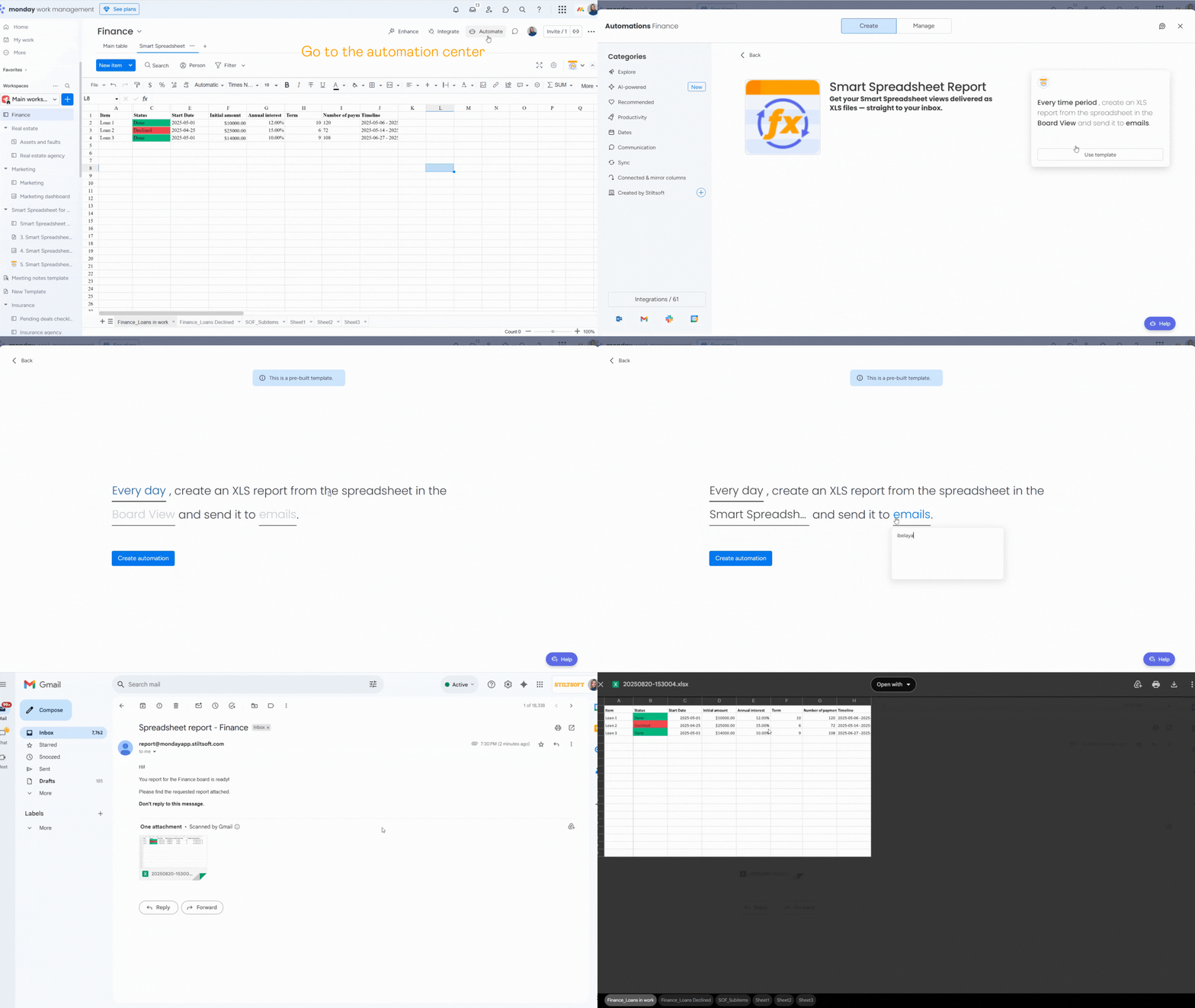
From then on, their clients receive XLS reports with only the relevant columns. Thanks to 2-way sync, the data in the report stays up-to-date.
 If you work with several clients, create different views and automation rules for each — so everyone gets just the data they need
You can install and test Smart Spreadsheet for free for 14 days and decide if it works for you.