I am trying to duplicate an item and move it to a different group. However, I want to duplicate the item and then move the old item to a group for past service and the new item I want to clear some of the columns and move to future service group. I know how to do all of this, but the problem I am having is that the new item remains in the past service group and the original item is sent to the future service group, but I want it the other way around. I have researched this, but can’t find this solution. Can anyone help?
Hey @ragdavis3008,
I’ve played around with this and you’re right, it is a little tricky…
At this stage, in order to have the original item move to the past service group, I’d set up these 2 automations (which utilise the status column as a trigger):
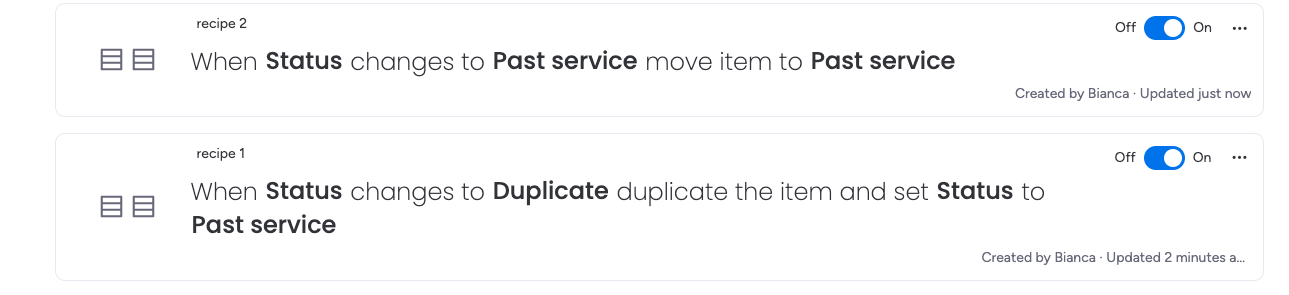
Regarding that new item, this indeed is where I am running into a roadblock… in my opinion, in order to have that new item behave without issue, I do think to achieve this natively, you would need to keep this a manual process (to avoid race conditions between the duplicated item and the original item).
It is worth posting this as a feature request, specifically the ability to set automations on duplicated items, as I think this would help this situation immensely…
I was able to figure this out. @BiancaT you were very close and put me on the right path.
First create a new automation column, it can be anything a boolean for one post duplicate change, number or status for multiple conditions ie. wanting different columns to change based on a variable in the original
Start with your trigger on the original, FIRST on the original change the automation column to something (I just changed a number column to 1) SECOND duplicate.
Then set a second trigger on Create, add the condition of And when (automation column) equals (whatever you choose) this captures the newly created copy and allows you to move/change columns etc at will.
Pictures of the two step process included. the one on the bottom is the first step that triggers off the original and the one on the top is triggered on the newly created item.
Note, you may want to change the automation column back to a neutral value on the new item after creation.
