i have a group called change orders and each line item is a new change order. under each item are 5 subitems. i am currently duplicating the item with its subitems and then i have to remove all the existing status, dates etc. is there a way to not have to do this for each time i need to have a new items with the 5 subitems.
What about doing an automation of ‘when item created’ - ‘if in this group’, then create subitem (x5)?
Desiree - www.thecleverclovers.com

1 Like
Hey @ScottL ,
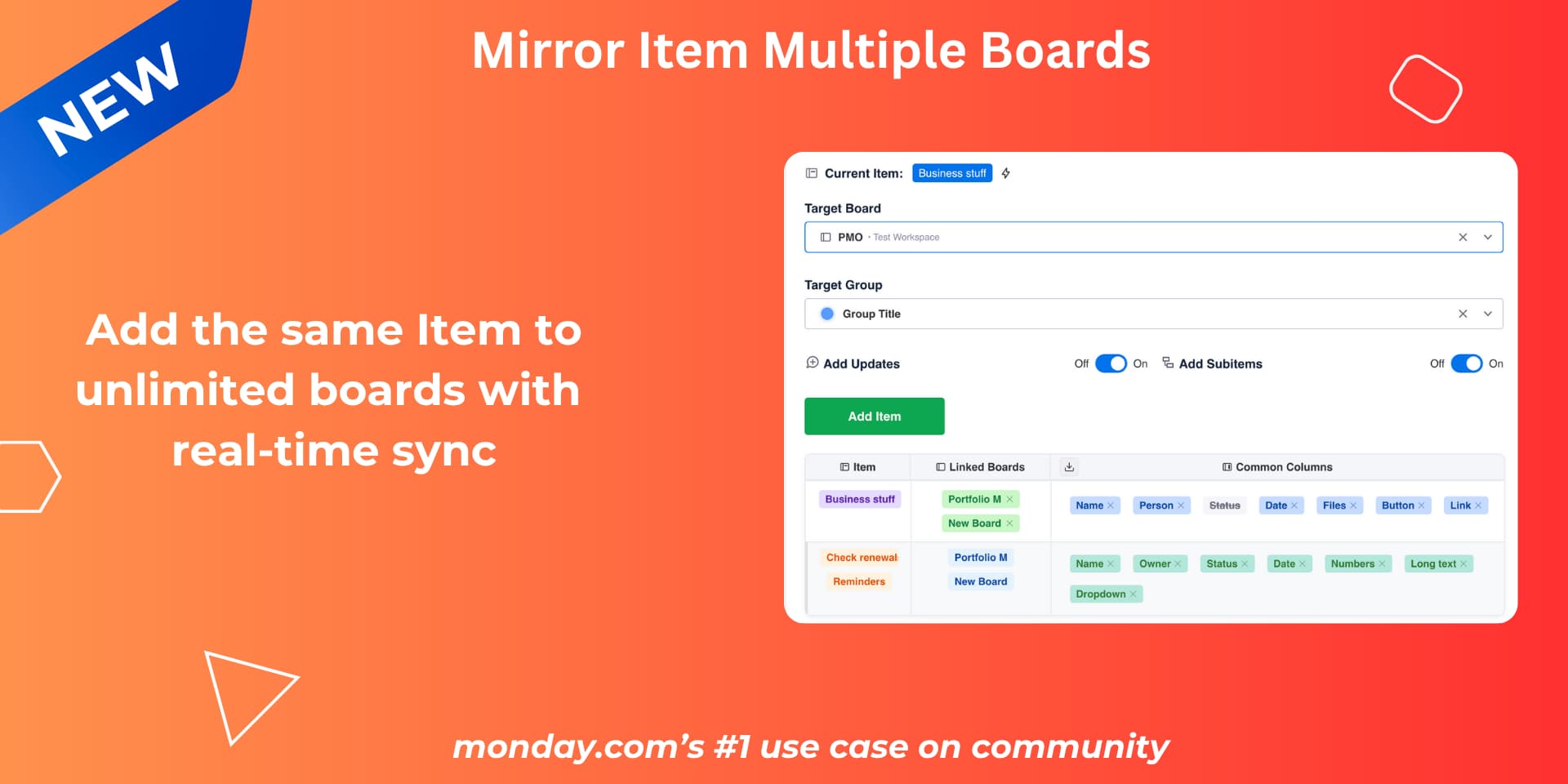
A simple way would be to just try our app - Mirror Item Multiple Boards. You can duplicate an item to as many boards as you like along with it’s subitems.
-
No need to setup complex automations
-
Just turn on ‘Add subitems’ and the item will be duplicated to a different board along with subitems
-
Any new subitem created also gets created automatically under the linked item
-
The sync table gives you a complete overview of where the item and the subitems live
-
Keeps subitems and items in sync whenever a change happens
If you’re just looking to duplicate the item and it’s subitem so that you can pre-populate stuff, I can tweak the app to solve this for you. Do let me know - support@fortimus.co or book a meeting here
What you need is an app like Templify (I use it for my workflow)
You can set up a bunch of different subitem, item, group templates.
My workflow - new project comes in (item) - I go to the updates panel where the app is found and apply subitem template based - it populates that item with predefined subitems and column values for whatever you need