Has anyone made a spreadsheet that calculate time spend on each project based on tasks? Each project can have from 1-10 tasks, and each task can take from 30min - 4 hours. Some project is a one time thing, some could be as long as a year, and tasks could be as often as weekly or monthly. So, I want to create a spreadsheet that shows how much time we spend on each project and how much time/resource we have left.
Hello @SVONOR Yes. You can do this directly in monday.com without a separate spreadsheet.
Track time on each task using the Time Tracking column, then connect your Tasks board to a Projects board and mirror the total time up to each project. This automatically sums time across tasks, even when they repeat weekly or monthly over long projects.
To see remaining capacity, add an Estimated Time or Effort column and use a Formula column to calculate time left. For a spreadsheet style view, Dashboards give a clear overview of time spent and available capacity per project.
If you want help choosing the best setup, you can also schedule a session with the monday.com team to walk through your use case and build it together. you can schedule here Calendly
1 Like
Hi @sasi,
There’s an app called Board Email Reports that includes a Time Tracking report.
Here’s how it stands out compared to the native Time Tracking feature:
-
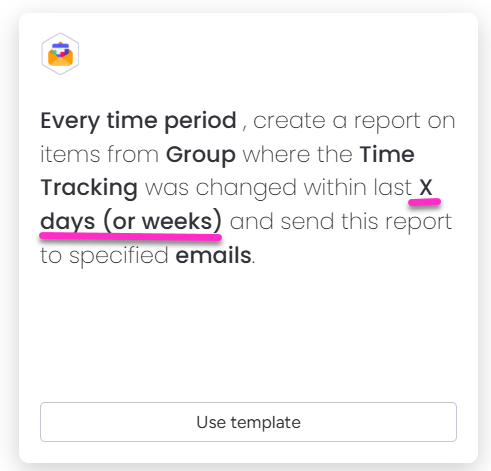
Flexible date ranges – you can set any period for calculating tracked time directly in the automation rule.
-
Easier filtering – the report format is more convenient for sorting and finding the information you need.

-
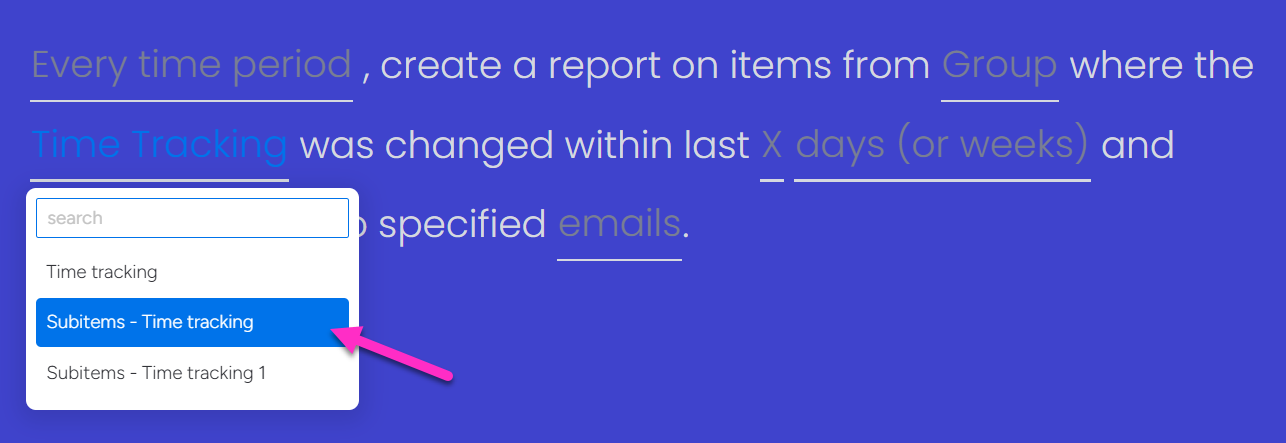
Subitems support – generate time tracking reports that also include subitems.
-
Multiple recipients – send the report to several people at once by simply adding their email addresses to the automation rule (no guest or viewer access required).
You can install the app and test it for free and find out if it works for you. We can make a custom automation rule, just tell your request to our team.
1 Like